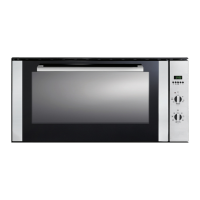
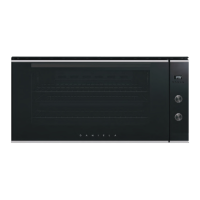
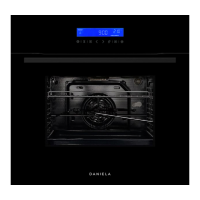
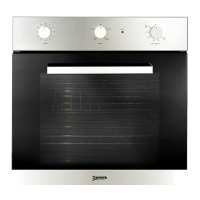
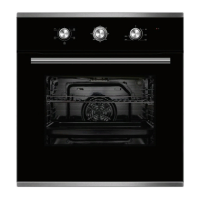
This document is a user manual for the DAN90ABO built-in 10-function oven with rotisserie from Daniela Appliances.
Function Description
The DAN90ABO is a multi-functional oven designed for cooking various dishes. It offers 10 different cooking functions, including conventional mode, pastry bake, grill, fan grill, multi-cooking mode, pizza bake, defrost mode, and rotisserie. The oven is equipped with a touch control panel for easy operation and features a digital display for time, temperature, and other settings. It also includes a child safety lock to prevent accidental operation.
Important Technical Specifications
- Model: DAN90ABO
- Voltage & Frequency of Power Supply: 220-240V ~ 50-60Hz
- Volume (usable capacity): 80L
- Output Power: 3,166-3,640 W
- Weight: 50kg (approx.)
- Dimensions (W x H x D):
- Outer: 899 x 480 x 550mm
- Inner: 657 x 455 x 351mm
- Cutout: 900 x 485 x 575mm
- Light Bulb: 25W
- Type: E 14
- Power Supply: Requires a 3-pin plug, 15A general purpose power outlet.
Usage Features
The oven offers a wide range of cooking modes to suit different culinary needs:
- Conventional Mode: Ideal for baking traditional recipes that require even heat distribution. It's suitable for large cakes, fruit, and foods in covered casserole dishes.
- Pastry Bake: Excellent for sweet and savoury pastry foods, including cakes, muffins, and cookies. Recommended for baking on the lowest shelf for optimum results.
- Grill: Used for browning the top of potato gratin and frittata, or grilling favourite chicken and fish.
- Fan Grill: Combines grilling with fan circulation for uniform heat, suitable for roasting sensitive meat and poultry parts, and larger things like a whole chicken.
- Multi-Cooking Mode: Utilizes fan force, top heating element, and bottom heating element for cooking multiple dishes simultaneously on different levels.
- Pizza Bake: Combines fan-force and bottom heating for crispy pizza crusts.
- Defrost Mode: Circulates room temperature air to defrost frozen food, suitable for delicate foods that don't require heat.
- Rotisserie: For turning and cooking meat evenly, ensuring a golden brown finish.
- Automatic Cut Off: The oven automatically turns off elements after a set period of inactivity for safety.
- Pre-heating: The "Multi-Cooking" and "Fast cooking" options can be used to preheat the oven quickly.
- Cooking on More Than One Rack: The "Fan force" or "Multi-Cooking" modes allow cooking on multiple racks simultaneously.
Operating the Touch Control Panel:
- Cook Time Symbol: Sets the cooking duration.
- Rotisserie Symbol: Activates the rotisserie function.
- Hour Display: Shows the current time.
- Thermometer Symbol: Displays the current temperature.
- Child Safety Symbol: Locks the control panel.
- Bell / Countdown Symbol: Sets a countdown timer.
- Light Button: Turns the oven light on/off.
- Clock Functions Button: Accesses clock settings.
- Speed Cook Button: Activates the speed cook function.
- On / Menu Button: Turns the oven on/off or accesses the menu.
- Start Button: Starts the selected function.
- Pause / Off Button: Pauses or turns off the current function.
Setting and Changing the Current Time:
The oven only operates when the time has been set. The clock symbol flashes when the appliance is connected to electrical supply. Use the up/down arrows to set the time.
Clock Functions:
- Countdown: Sets a countdown timer. A signal sounds after the time has elapsed.
- Clock Time: Sets the current time.
- End Time: Sets the time when the oven is to switch off.
- Timer: Sets a general purpose timer.
Child Safety Device:
The child safety device can be engaged to prevent accidental operation. Press and hold the lock button until it appears on the display. To deactivate, press and hold the lock button again.
Activating/Deactivating Button Beep:
The button beep can be switched on or off through the settings.
Positioning Oven Trays & Shelves:
The manual provides a "Cooking Guide Table" for recommended shelf positions. Shelves can be placed in four different height positions. The baking pan and oven shelf can be removed by pulling the front of the shelf slightly and withdrawing it fully.
Maintenance Features
Cleaning Safety:
- Always ensure the oven is cool before cleaning.
- Do not use abrasive cleaners, harsh chemicals, or metal scrapers on the oven glass or enamel surfaces.
- Do not use a steam cleaner.
- Remove all accessories before cleaning.
Oven Exterior:
- Clean with a microfibre cloth and warm soapy water.
- For stubborn stains, use non-scourer, caustic cleaners, or abrasive products.
Stainless Steel Oven Fronts:
- Use stainless steel wool, scouring pads, or abrasives.
- For tough stains, use Magic Stainless Steel Cleaner & Protector.
- For general cleaning, use Magic Stainless Steel wipes.
Oven Interior:
- Do not use coarse scouring pads or cleaning sponges.
- To avoid damaging the enamel, do not use abrasive products such as Mr Muscle or window cleaners. Only use Magic Oven and rangehood cleaner to safely clean your oven.
- Only use Non-Caustic oven cleaners.
Oven Door Glass:
- The oven door is equipped with three layers of glass. The inner and middle sheets can be removed for cleaning.
- Place the sheets back in the correct order as they use a reflective coating to face inwards towards the oven cavity.
Disposal:
- Dispose of packaging material responsibly.
- The material used for packaging is recyclable.
- Dispose of the appliance at an appropriate container at your local waste disposal facility.
- Do not dispose of old appliances with domestic waste.
Cleaning and Maintenance:
- Disconnect the power source before cleaning.
- Do not use abrasive powders or corrosive substances that could destroy them.
- Stainless steel should not be cleaned with abrasive or enamel cleaners.
- For oven interior cleaning, Magic oven cleaner is recommended.
- Do not use non-caustic oven cleaners purchased from hardware stores or supermarkets.
- Avoid using abrasive detergents (for example cleaning powders, etc.) and abrasive sponges for dishes or acids (such as limescale remover, etc.) as these could damage the enamel.
- Do not use any chemical agents while the oven is hot.
- Do not use a steam cleaner to clean your oven.
How to Remove Oven Door:
- Open the door so that it is fully open.
- Lift up and turn the small levers situated on top of the hinges on both sides.
- Grip the door on the two external sides, shut it slowly but not completely, and pull the door towards you, pulling it out of its seat.
- Follow these steps backwards to place the door back on the oven.
Replace Oven Lamp:
- Ensure the appliance is switched off before replacing the lamp to avoid electric shock.
- Disconnect the oven from the power supply.
- The lamp and replace with a lamp resistant to high temperatures (300°C) with the following characteristics: Voltage: 220-240V, Wattage: 25W, Type: E14.
- Replace the glass cover and reconnect the oven to the mains power supply.

 Need help?

 To Next Page
 General