5
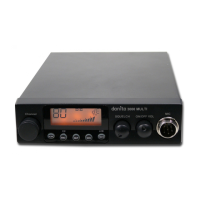
danita 340 CB Radio
※Functions (long press)
※Talkback Level
※Norms Control
Long press key to enter in memu and set different function.
This function allows you to adjust the volume of your walkie-talkie.
(1)
Start the intercom function (see "intercom" on page 8).
(2)
Hold down the [
PTT
] switch, then the key increases or the key
decreases the Talkback Level.
(3)
Release [
PTT
] switch and save Talkback Level.
Choose a 8Ω external speaker with 3.5mm mono connector.
(1)
Long press key to enter menu list.
(2)
Short press microphone [
UP
] or [
DN
] or or
to choose menu to
be.
(3)
Short press key to enter function setting parameter of the chosen
function, the parameter blinks on LCD.
(4)
Short press microphone [
UP
] or [
DN
] or or
to choose wanted
setting.
(1)
Hold to power on radio, until LCD displays the norms.
(2)
Short press microphone [
UP
] or [
DN
] to choose wanted norms.
(3)
Power off and power on again.
3.10
Install External Speaker
..............................................................
3.11
Menu Operations
..........................................................................
Press [
PTT
] + key to activate VOX function, LCD displays microphone
icon "
", and then press [
PTT
] + key to disable VOX function. The
microphone icon disappeared.
Note:
When VOX is turned on, the micropphone symbol flashes in LCD
.
※VOX function
The VOX function allows transmitting by speaking into the original
microphone without pressing the [
PTT
] switch.
3.9
......................................................................................................


 To Next Page