Set Up and Operation
Before plugging the unit in, always make sure that the power supply matches the product specification
voltage. Do not attempt to operate a 120V specification product on 230V power, or vice versa.
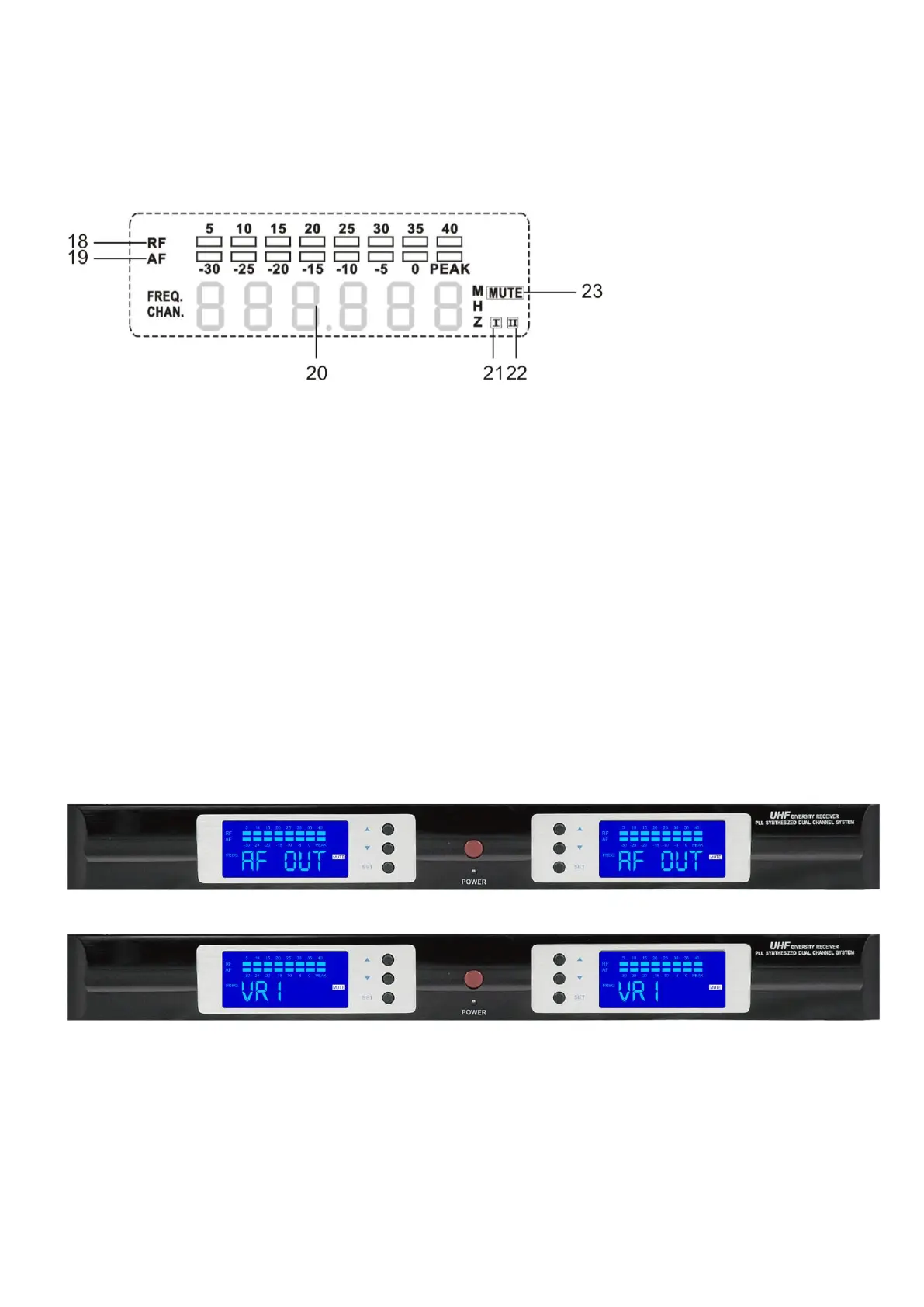
Press the powerswitch to turn the COM-52 on. Turn volume down, by pressing SET. The display shows AF
out, then the display shows VR1. Adjust the Functions to the desired position.
Fig. 4
18) RF Indicator
19) Audio Frequency Indicator
20) Signal Channel Indicator
21) A Receiving Channel Indicator
22) B Receiving Channel Indicator
23) MUTE Indicator
MENU Options
1. AF OUT VR1-10
2. SQUELCH 0-40 dB, in 5 dB steps
3. DISPLAY FREQU / CHANNL
4. TUNE 785.100 – 811.000, in steps of 0.025 Hz
5. LOCK LOC OFF / LOC ON
Volume Set Menu
Press SET, the LCD shows:
after a second the display shows:
The menu function is for adjusting the volume. Press UP / DOWN to change the volume from 01-10. The
minimum is 0 dB; the display will show MUTE.
After changing, please press SET to confirm.



 To Next Page