Need help?
Do you have a question about the DAPAudio GIG-124C and is the answer not in the manual?
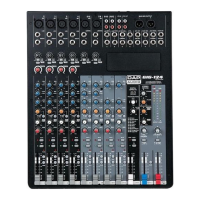
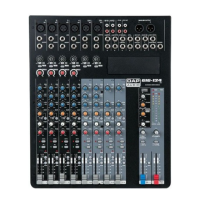
The DAP GIG-124C is a professional 12-channel mixing console designed for gigs, recording, and fixed PA installations, offering high-quality sound and reliability. It features an ultra-low noise discrete MIC Preamps with +48V Phantom Power, ensuring clean audio capture.
The console includes four mono input channels, each equipped with an XLR input for microphones, a balanced Line Input (1/4" TRS jack) for line-level sources like keyboards or CD players, and an Insert I/O (1/4" stereo jack) for connecting external signal processors such as compressors, noise gates, or equalizers. These inserts are positioned before the fader, EQ, and aux send. Each mono channel also features a compressor control to adjust the amount of compression applied, smoothing dynamics by attenuating louder signals and boosting the overall level. A Low Cut switch activates a high-pass filter at 100 Hz (18 dB/octave) to blend out low-frequency noise.
In addition to the mono channels, the GIG-124C provides four stereo input channels. Two of these channels offer mono XLR inputs and 1/4" TRS jacks, while the other two feature RCA jacks and 1/4" TRS jacks. It's important to note that for channels with multiple input options (e.g., MIC and Line, or Line and RCA), only one pair of jacks can be used at a time per channel.
Each MIC channel is equipped with a 3-band equalizer (HI, MID, LOW) for precise tone shaping, with a shelving filter for HI (above 12 kHz) and LOW (below 80 Hz) frequencies, and a peak filter for MID frequencies centered at 2.5 kHz. Stereo channels feature a 2-band EQ. All channels include Peak LEDs that light up when the signal level is too high (3 dB below clipping), indicating the need to reduce input amplification via the GAIN control.
The GAIN CONTROL adjusts the input gain for each channel. For mono channels, it ranges from 0 to +50 dB for microphone inputs and +15 to -35 dB for line inputs. For stereo channels, it ranges from 0 to +40 dB for microphone inputs and +20 to -20 dB for line inputs.
The console offers two auxiliary send paths. AUX 1 is switchable between PRE/POST fader, allowing the signal level to be either independent of or affected by the channel fader. AUX 2 is POST fader. These aux buses are used for monitoring or external effects. Each channel has Mute and PFL (Pre-Fader Listen) functions. The MUTE switch silences the channel's signal from the main mix, subgroups, monitor, and aux paths, indicated by an LED. The PFL switch routes the channel's signal to headphones and the monitor display, with an accompanying LED.
For routing, each channel can be assigned to the GR1-2 subgroup or the Main L/R bus using dedicated switches. The GR1-2 subgroup level is controlled by a dedicated fader, and the Main Mix output level is controlled by a high-precision Main fader.
The GIG-124C also includes a 2-Track Input (RCA jacks) assignable to either the Main Mix or the Control Room/Headphone Outputs, with a control to adjust its level. The 2-Track Output (RCA jacks) provides the stereo main mix signal for recording. Balanced XLR and 1/4" TRS outputs are available for the Main Mix. Additional outputs include CTRL-ROOM (for studio monitors), AUX 1 SEND, AUX 2 SEND, and GR1/2 OUT. A PHONES output allows for headphone monitoring, with a dedicated control for its volume and the Control Room output. Stereo 12-segment LED meters indicate the overall output level.
The console features ST RETURNS inputs (L and R 1/4" TRS jacks) for connecting external equipment like players or effects processors. These returns can be assigned to the AUX SEND outputs or the MAIN MIX outputs. Phantom power (+48V) can be switched on for microphone inputs, indicated by an LED. A PWR LED indicates when the console is powered on.
The GIG-124C is designed for ease of operation, but users are advised to carefully read the manual to avoid issues like unwanted distortion or signal loss. Before connecting any devices, ensure the mixer's main power switch is off and all input/output controls are turned down to prevent damage to speakers and excessive noise. The mixer should always be turned on before power amplifiers and turned off after them.
For optimal signal quality, ensure all incoming signals are balanced (using DI boxes for unbalanced signals if necessary) to prevent hum. When adjusting input gain, set the GAIN CONTROL fully counter-clockwise before connecting or disconnecting a signal source. Adjust the channel Level control while speaking into the mic or playing an instrument so that the PEAK LED blinks occasionally, maintaining good headroom and dynamic range. Tone shaping can then be done with the equalizer controls.
The console offers optional modules for enhanced functionality:
To ensure the longevity and safe operation of the GIG-124C, several maintenance guidelines should be followed:
 General
| Type | Analog |
|---|---|
| Channels | 12 |
| Phantom Power | Yes |
| Microphone Inputs | 4 |
| Line Inputs | 4 |
| Main Outputs | 2x XLR, 2x Jack |
| EQ | 3-Band |
| Aux Sends | 1 |
| Effects | 16 |

 To Next Page