8
Ordercode: D4530 / D4531 / D4532
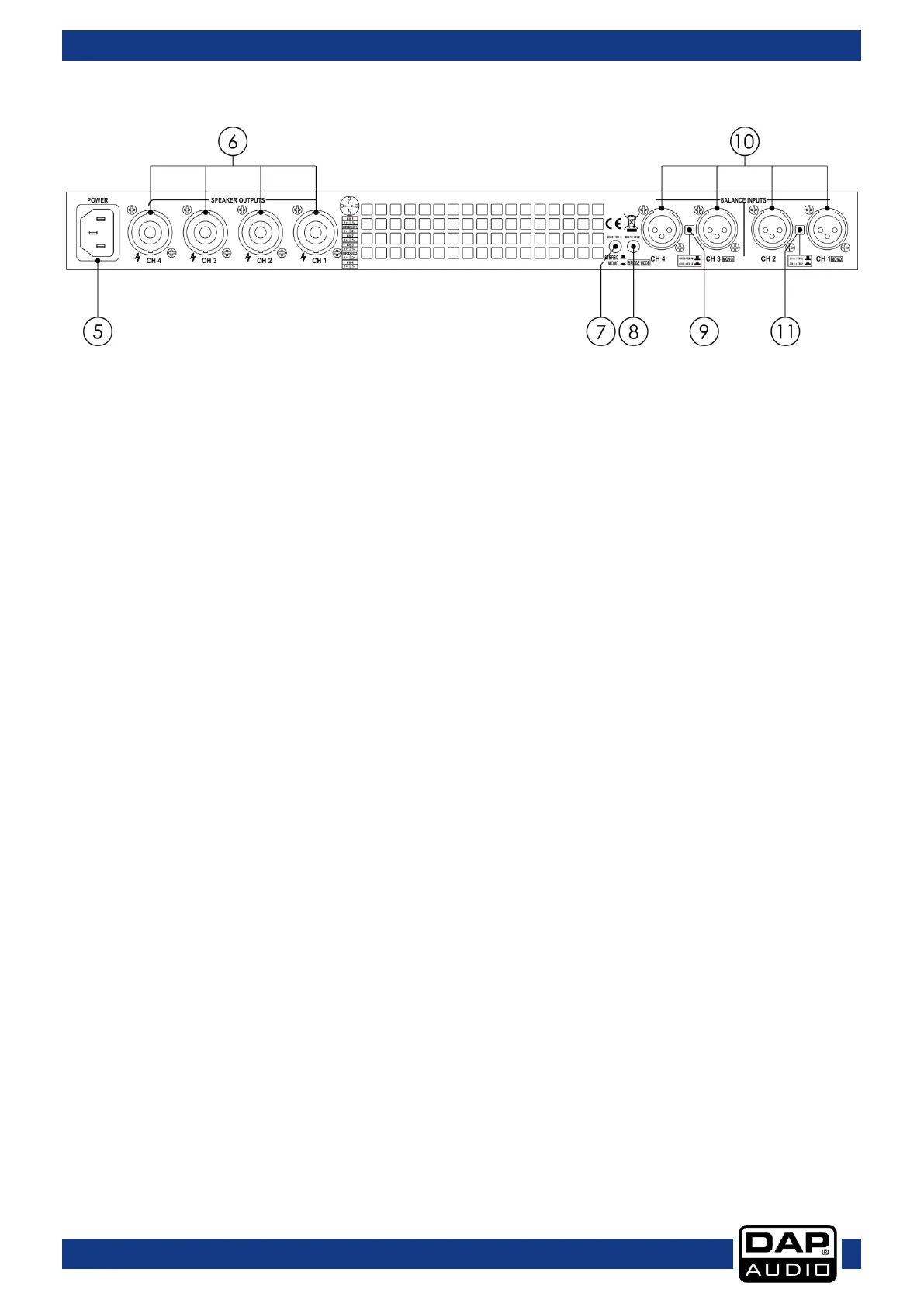
Backside
05) IEC power connector 120-230V + internal fuse
Use this connector to connect the device to main power supply.
06) Speakon speaker output connectors
Use these connectors to connect the device to speakers, using professional speaker cables with
twist-locking plugs.
07) Channel 3 / Channel 4 stereo / mono / bridge switch
When this button is pressed, the channels 3 and 4 operate in mono or bridge mode.
When the button is NOT pressed, the channels 3 and 4 operate in stereo mode.
08) Channel 1 / Channel 2 stereo / mono / bridge switch
When this button is pressed, the channels 3 and 4 operate in mono or bridge mode.
When the button is NOT pressed, the channels 1 and 2 operate in stereo mode.
09) Channel 3 / Channel 4 mode switch
Use this button to determine the mode which channels 3 and 4 operate in.
When the button is pressed, channels 3 and 4 are recognized as a single unit.
When the button is NOT pressed, channels 3 and 4 are recognized as two separate units.
10) 3-pin XLR balanced inputs
Use these connectors to connect sound source equipment to the amplifier.
11) Channel 1 / Channel 2 mode switch
Use this button to determine the mode which channels 1 and 2 operate in.
When the button is pressed, channels 1 and 2 are recognized as a single unit.
When the button is NOT pressed, channels 1 and 2 are recognized as two separate units.



 To Next Page