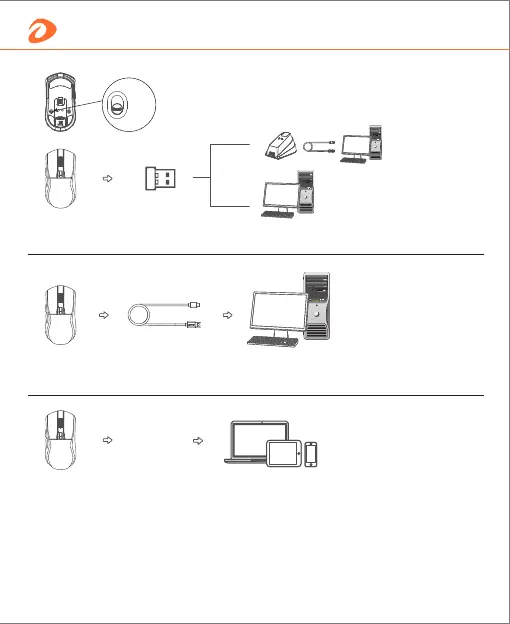
How to connect
Wired: wherever the mode button stays (either on 2.4G or BT mode), mouse
will be in wired mode once cable is plugged in.
BT: 1- Switch button to BT mode;
2- Turn on BT of the device, and search "A950 BT";
3- Pairing then use.
*In BT mode, if can't search the mouse, press bottom BT pairing button
(5 seconds), then pair it and use.
BT
2.4G: switch bottom button to 2.4G mode, insert the dongle and use.
2.4G
OFF
BT
4 English


 To Next Page