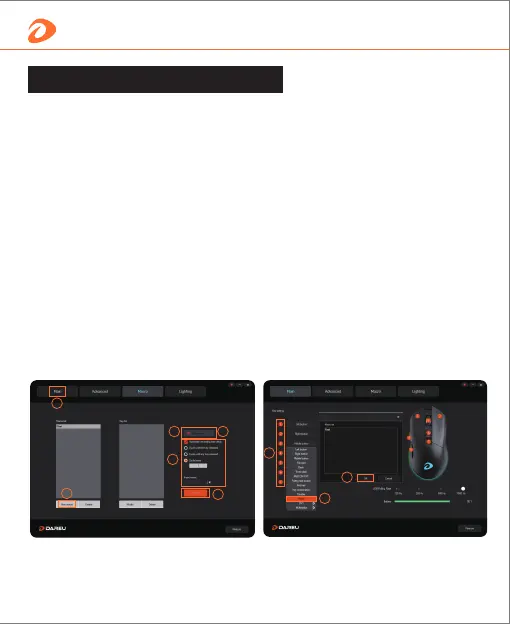
① Create a new macro;
② Click Record, then set the macro definition;
③ Before recording, we can check the options if needed;
④ When finished, click Stop Recording;
⑤ Save and back to Main page;
How to use driver
How to set macro function
1
2
3
5
7
8
5
6
4
⑥ Press the key which we want to set the marco; (If want
to set the macro definition for the Left/Right button, we
must set other button to the Left/Right button first,
otherwise the mouse will not work normally.)
⑦ Select the Macro option;
⑧ Select the Macro Definition which we recorded and confirm.
7 English


 To Next Page