
 To Next Page
M
marylewisAug 13, 2025
How do I turn the Dash Kitchen Appliances Omelette Maker off and on?
- TTracy CaseyAug 13, 2025
To turn the Dash Omelette Maker on, simply plug in the power cord. When you’re done cooking, turn it off by unplugging it.

How do I turn the Dash Kitchen Appliances Omelette Maker off and on?
To turn the Dash Omelette Maker on, simply plug in the power cord. When you’re done cooking, turn it off by unplugging it.
What to do if the Dash DOM001 Kitchen Appliances Omelette Maker's indicator light won't turn on and the cooking surface isn't heating?
First, ensure that the power cord is properly plugged into the power outlet. Then, check to make sure the power outlet is operating correctly. Finally, determine if a power failure has occurred in your home, apartment, or building.
Why does food stick to the surface of my Dash DOM001 Kitchen Appliances Omelette Maker after a few uses?
Food sticking to the surface usually indicates a build-up of burnt food residue on the Cooking Surface. To resolve this, allow the appliance to cool fully, pour on a little cooking oil, and let it sit for 5–10 minutes. Then, scrub the Cooking Surface with a sponge or soft-bristled brush to dislodge the food. Use a damp, soapy cloth to wipe down the Cooking Surface, then rinse the cloth and wipe again. If food remains, pour on cooking oil and let sit for a few hours, then scrub and wipe clean.
Is it normal for the cover of the Dash Kitchen Appliances Omelette Maker to get hot?
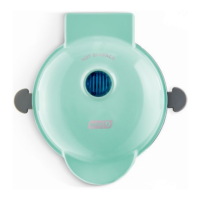
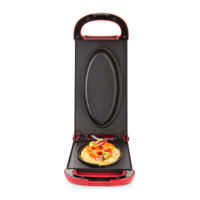
Yes, it is completely normal for the cover to get hot during use. When using your Omelette Maker, always lift and lower the Cover by the Cover Handle. To prevent personal injury, do not lift the Cover so that your arm is over the Cooking Surface as it is hot and may cause injury. Lift from the side.
How do I know when my Dash DOM001 Kitchen Appliances Omelette Maker is ready to use?
The Green Indicator Light will turn on when the Omelette Maker reaches the optimal temperature, signaling that you’re ready to start cooking.
What to do if there is juice on the cooking surface when cooking meat on the Dash Kitchen Appliances Omelette Maker?
Carefully dab the Cooking Surface around the meat with a paper towel or napkin. If there is a lot of juice, remove the food from the surface with heat-resistant plastic or silicone tongs and set aside. Then, wrap a paper towel around the tongs and use this to wipe the Cooking Surface and soak up the juices. When done, return the food to the Omelette Maker and continue cooking.
Why is my Dash DOM001 Omelette Maker making a hissing sound while cooking?
The hissing sound is normal if you overfill the Omelette Maker, as extra steam is released. If using many toppings in your omelette, use smaller eggs or only 1 large egg.
Why does the green light on my Dash Kitchen Appliances Omelette Maker keep shutting off?
This is normal. During the cooking process, the heating element will automatically turn on and off to regulate the temperature and ensure that the Cooking Surface does not get too hot or cold. When this occurs, the Indicator Light turns on and off.
Recipe for making sweet potato hash using the omelette maker.
Recipe for preparing potato pancakes with the appliance.
Recipe for a Caprese-style omelette.
Recipe for making pizza pockets in the omelette maker.
Recipe for making a chicken panini sandwich.
Recipe for a bacon, mushroom, and cheddar omelette.
Recipe for an omelette made with egg whites.
Recipe for baking triple fudge brownies.
Additional suggestions for omelette variations and combinations.
 General
| Brand | Dash |
|---|---|
| Model | DOM001 |
| Category | Kitchen Appliances |
| Non-Stick | Yes |
| Power | 350 Watts |
| Voltage | 120V |
| Cord Length | 30 inches |