VGA and Audio Cat-X AV Extender
9 / 16
5. Installation and Operation
AVE-300 series supports different video format by using different cable kit.
Section 1 will describe how to extend VGA and Audio signals by PC cable kit
and in Section 2 & 3, you should find the description of how to use HDTV and
TV cable kit to extend Component, Composite, and S-Video
Extend VGA Video and Audio by PC Cable Kit
5.1 AVE-301T Single-Port Transmitter Installation:
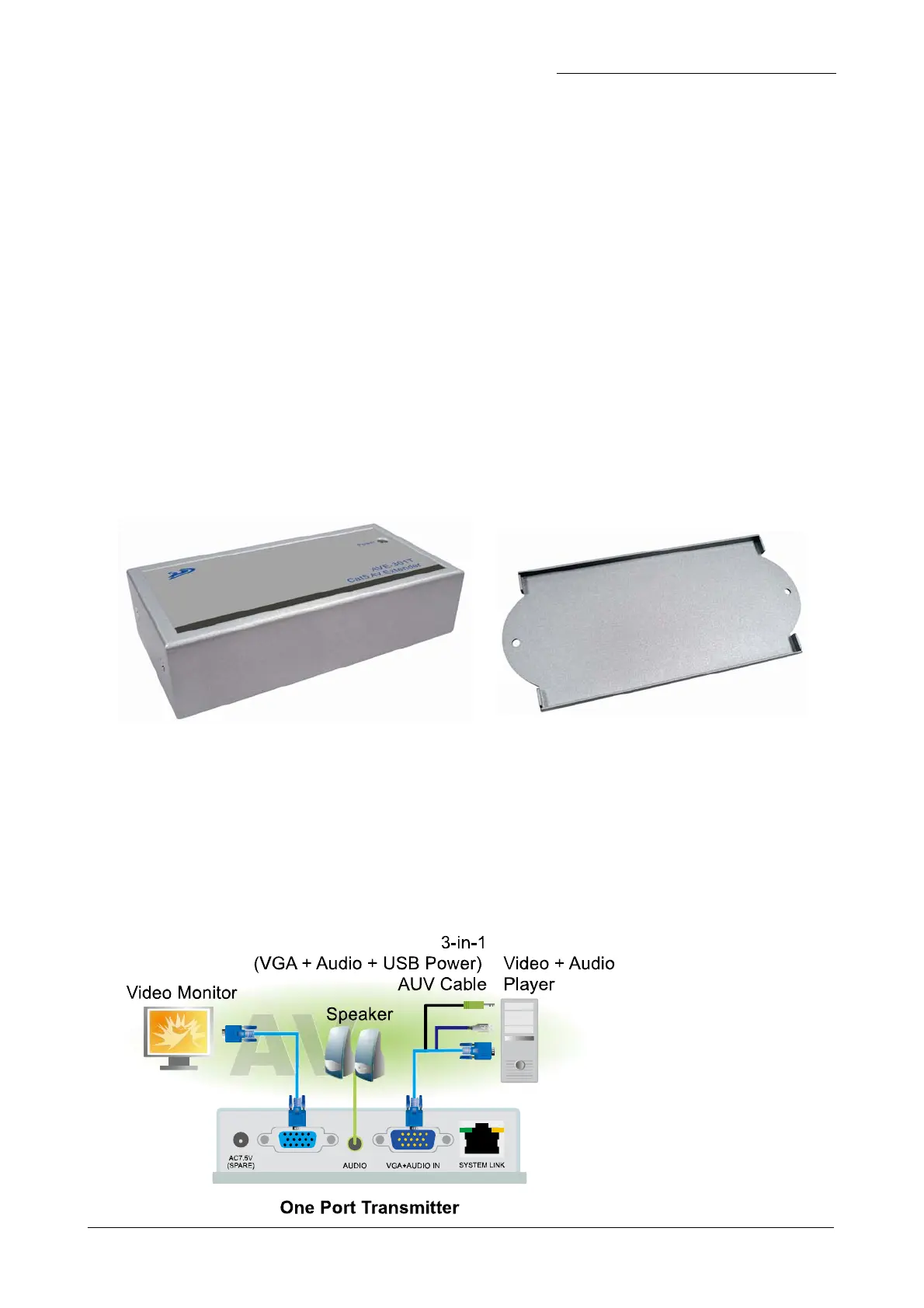
(1) Site Selection: In your first time installation, place Transmitter near the
PC or AV devices (Audio and Video outputs); you can use magnetic pad to
attach the unit on metal plane (Ex. PC / Server Enclosure) or use
attachable rack mounting kit to fix the unit on selected area by screw or
nail.
Unit attached with Rack Mounting Kit
(2) Connecting Monitor and Speaker: Take a 3-in-1 cable (VGA + Audio
USB Power) to connect the signal from your AV device to the “GA+AUDIO
IN” port of Transmitter box and then connect monitor and peaker to the
“VGA OUT” and “AUDIO” ports. The Transmitter can ake the power through
the USB port or if you are using DVD Player or other devices without USB
port, you can plug optional power adaptor AC7.5V, 1A).
Installation Diagram of
System Transmitter
AVE-301T



 To Next Page