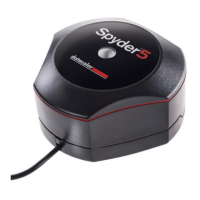
Need help?
Do you have a question about the Datacolor Spyder5 Elite and is the answer not in the manual?
Specifies the necessary hardware and software for operation.
Guides through the software activation and product registration process.
Initial screen guiding through the calibration process.
Choose the display to calibrate from a list.
Select whether the display is desktop or laptop.
Identify the manufacturer and model of the display.
Instructions on placing the Spyder unit for measurement.
Name and save the generated monitor profile.
Compare calibrated vs. uncalibrated images.
Initial screen guiding through the calibration process.
Specify monitor's brightness and Kelvin preset controls.
Choose target values like Gamma, White Point, and Brightness.
Measure ambient light conditions for calibration.
Recalibrate the display to save time.
Check the accuracy of the current calibration.
Perform tests to assess monitor strengths and weaknesses.
Initial screen guiding through the calibration process.
Choose calibration mode: Assistant, StudioMatch, Expert.
Match multiple displays for consistent color.
Access all calibration settings for full control.
Adjust settings to match monitors with different backlights.
Perform tests to assess monitor strengths and weaknesses.
Definitions of technical terms used in the manual.
Answers to common user queries about the product.
 General
| Type | Colorimeter |
|---|---|
| Compatibility | Windows, Mac |
| Software | Spyder5Elite software |
| Function | Monitor Calibration |
| Display Analysis | Yes |
| Ambient Light Measurement | Yes |
| Multiple Monitor Support | Yes |
| Display Types Supported | LCD, LED, OLED |
| Measurement Technology | Colorimeter |
| Color Gamut | sRGB, AdobeRGB |
| Device Type | Monitor calibration |


 To Next Page