OMNI MAX - User Guide
© 2014 Datamars SA. All rights reserved. Page 12 of 20
The Keyboard Wedge feature allows the reader to enter data on a computer, tablet or smartphone
application by simulating the action of a keyboard.
The applications most commonly used with a keyboard wedge are Microsoft Excel, Microsoft Access, and
other custom database and applications like microchip search databases or animal welfare management
applications. This is a useful tool to help speed data entry regarding scanned animals and should help speed
the reunification process.
When using keyboard wedge, place your cursor where you want the ID code to go in your application, and
then press the center button on OMNI MAX to read the microchip. If a microchip can be localized, the unique
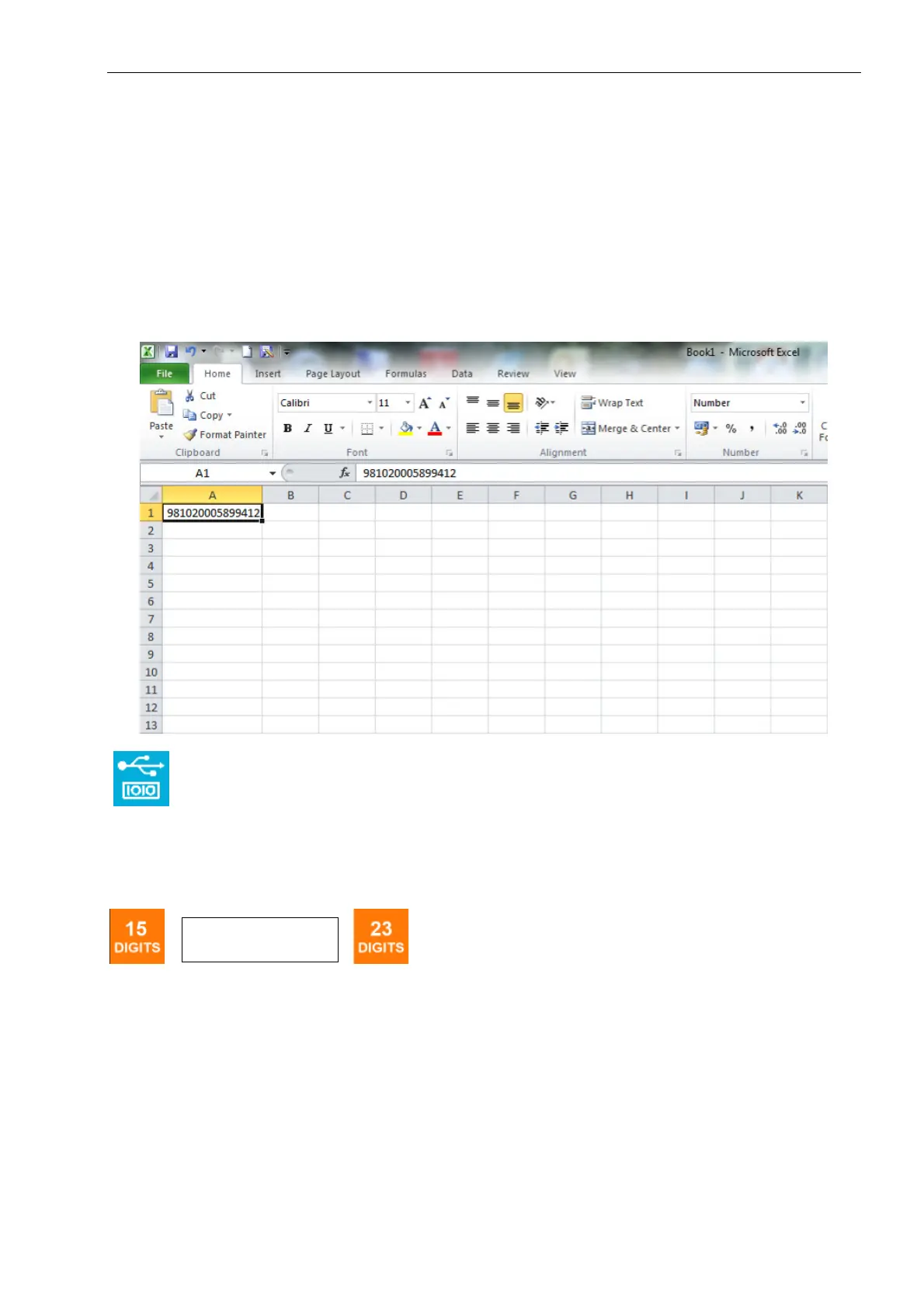
ID code will appear automatically in the correct field, just as if you typed it in yourself. The example below
shows what a keyboard wedge entry looks like in Microsoft Excel.
You can also send and receive data through the USB port as though it were a serial/RS232 port.
Instructions are outlined in chapter titled “Command Interface”.
5.9 ID Code Dislay Settings
A full unique microchip ID code actually contains 23 characters. It’s common in many countries to only
reference the last 15 digits. You can select whether you would prefer to see the full 23 or only 15 characters
of the unique ID code.
o "981000000123456" (15 char)
o "A0000000981000000123456" (23 char)
AID format Icon


 To Next Page