DNS-1640 User Manual
Connecting Power to DNS-1640
Important:
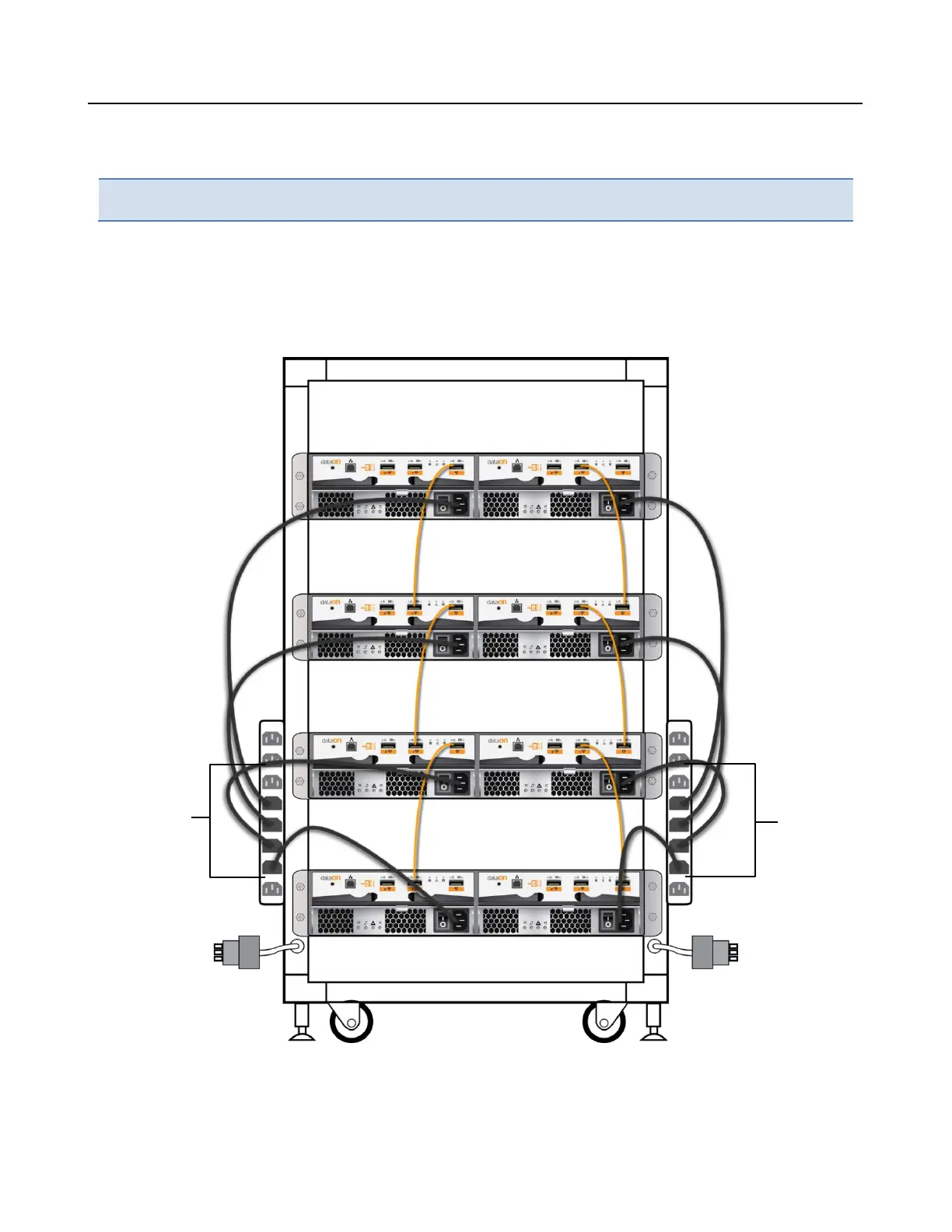
DNS-1640 is recommended to be installed in Dual power strip cabinets.
1. Ensure the cabinet circuit breakers are in OFF position.
2. Connect the two provided power cables from the DNS-1640 to cabinet power strips.
3. Lock down the two power cord latch.
4. Connect the power cables from the cabinet to separate power circuits in your facility.
Note: Cabinet is not included in the package. Only the universal rails kit for the cabinet ar
e
pr
ovided.



 To Next Page