DNS-1640 User Manual
Install/Replace HDD
Before You Begin
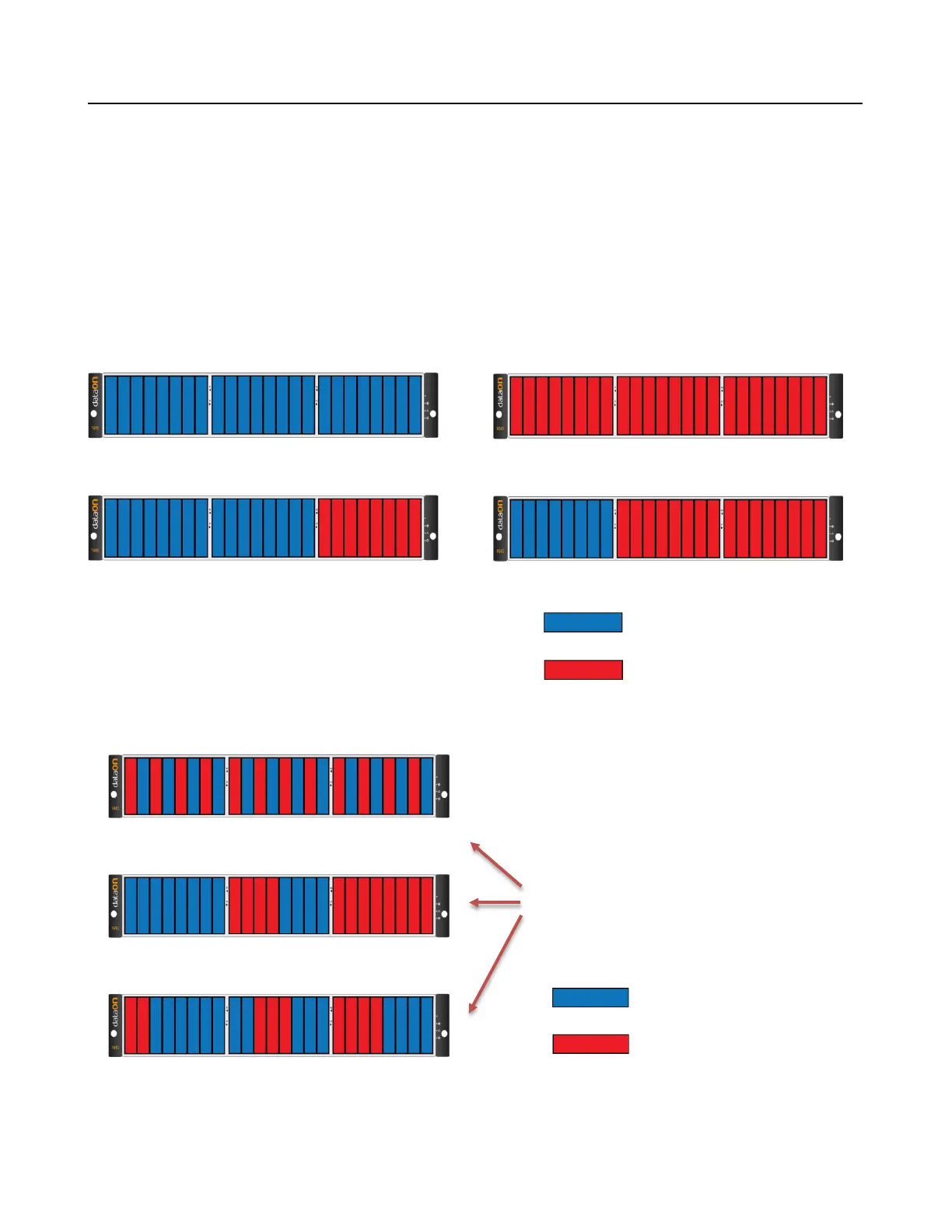
It is not recommend mixing different RPM SAS and SATA HDD in the same DNS-1640 system. If you have to,
please use the following figures below to plan where you will be placing the disk drives.
These figures represent fully-loaded DNS-1640 system with HDD.
However, the same guidelines apply even if you are filling some of the HDD slots with blank disk trays in the mix-
ing HDD setting.
Recommended Mixing SAS & SATA HDD Configurations
U
nsupported SAS & SATA HDD Combinations
Do not include SAS and SATA
HDD in the same section!
SATA HDD



 To Next Page