STEP 12 WALLCONTROL 10 (OPTIONAL)
Start | All Programs | WallControl 10 - Client
Quick Start Tour of the application. It is strongly recommended that you take the
tour prior to using the application.
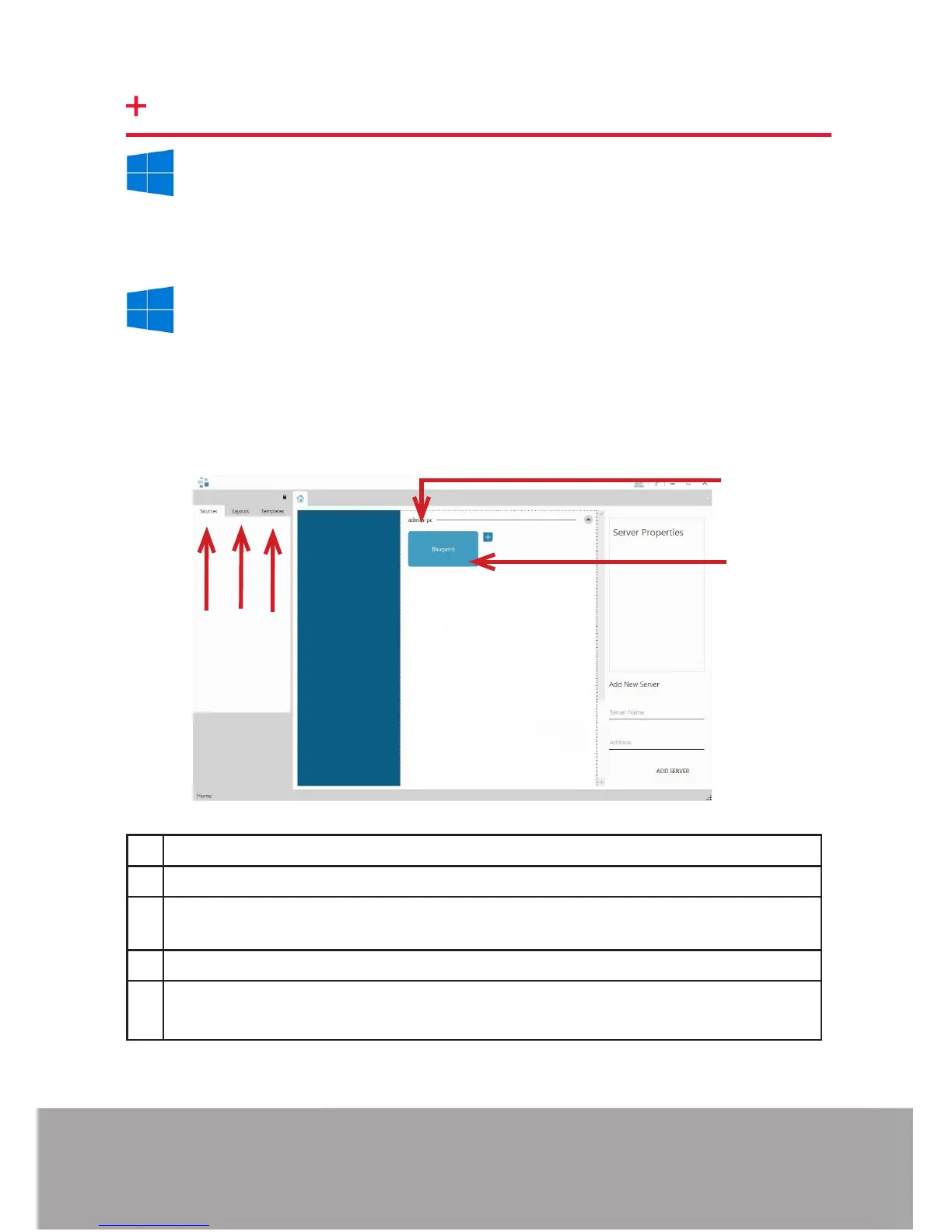
The WallControl 10 - Client
1
2
3
4
5
1 Indicates the server you are connected too.
2 A representation of the display wall associated with the server.
3 Sources Tab - Displaying all the sources connected to the server for use on
your display wall.
4
5
layouts.
Start | All Programs | WallControl 10 - Server
Before opening the Client interface you will need to start the Server by clicking on
it in the Programs menu. The WallControl 10 Client will only detect servers that are
running.
Page 12


 To Next Page