Need help?
Do you have a question about the Datapath Fx4 and is the answer not in the manual?
Explains the user guide's structure, chapters, sections, fonts, and symbols for clarity and consistent understanding.
Guides users on safely unpacking the Fx4 unit and performing an initial inspection for transit damage or missing items.
Provides a general overview of the Fx4's capabilities and highlights its key features for digital signage applications.
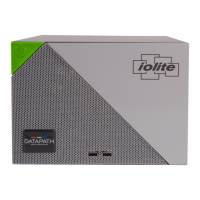
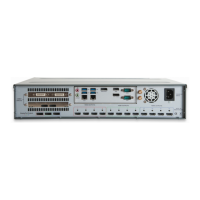
Describes the operational indicators on the front panel and the various connectors found on the rear panel of the Fx4.
Introduces the Wall Designer software's features and guides users through the installation process from the software CD.
Describes the Wall Designer application interface, its different operation modes, and basic usage steps.
Covers connecting sync cables, HDMI cable locks, and input sources to the Fx4 unit.
Describes the initial setup process, including connecting inputs/outputs and switching on the Fx4.
Addresses common problems like screen issues and network timeouts, and provides contact info for technical support.
Provides essential maintenance advice, focusing on keeping ventilation holes clear for proper operation and warranty validity.
Outlines the CE and FCC certifications and compliances relevant to the Datapath Fx4.
Explains the standard warranty period and the procedures for returning products under the RMA policy.
 General
| Inputs | 1 x DisplayPort 1.2, 2 x HDMI 1.4 |
|---|---|
| Maximum Input Resolution | 4096x2160 @60Hz |
| Bezel Correction | Yes |
| HDCP | Yes |
| Genlock | Yes |
| Scalers | Yes, per output |
| Supported Platforms | Windows, Linux |
| Resolution Support | Up to 4K |
| Maximum Output Resolution | 4096x2160 @ 60Hz |
| Rotation | Yes |
| Audio | Audio pass-through via DisplayPort and HDMI |
| Control | Ethernet |
| Power Supply | 100-240V AC, 50-60Hz |
| Video Processing | Real-time |


 To Next Page