iBootBar Page 4
ibootbar_v1.2x
Quick Start
Default IP address 192.168.0.254
Default User Credentials
Username: admin
Password: admin
General Overview
The iBootBar (iBB) series is designed to provide power distribution and remote power control. Each iBB allows eight
outlets to be independently switched on and off for reboot, energy management and security. The iBB has many
features to make the management of power distribution simple and cost effective:
• 8 Independently controllable outlets
• Dual power inputs for redundant power feeds
• Support for dual redundant powered devices
• Naming of outlets for easy identification
• Grouping of outlets for simultaneous management
• Time and Date event based control of outlets
• Current monitoring with over and under alarm notification
• Multiple users with assigned rights and simultaneous control
• Web Browser Control
• Telnet/Serial CLI control
• Direct UDP via SNMP control
• SNMP manageable
• AutoPing for automatic reboot of crashed systems
• SSL Security (web only)
• Internal Modem Option, Data or DTMF Control
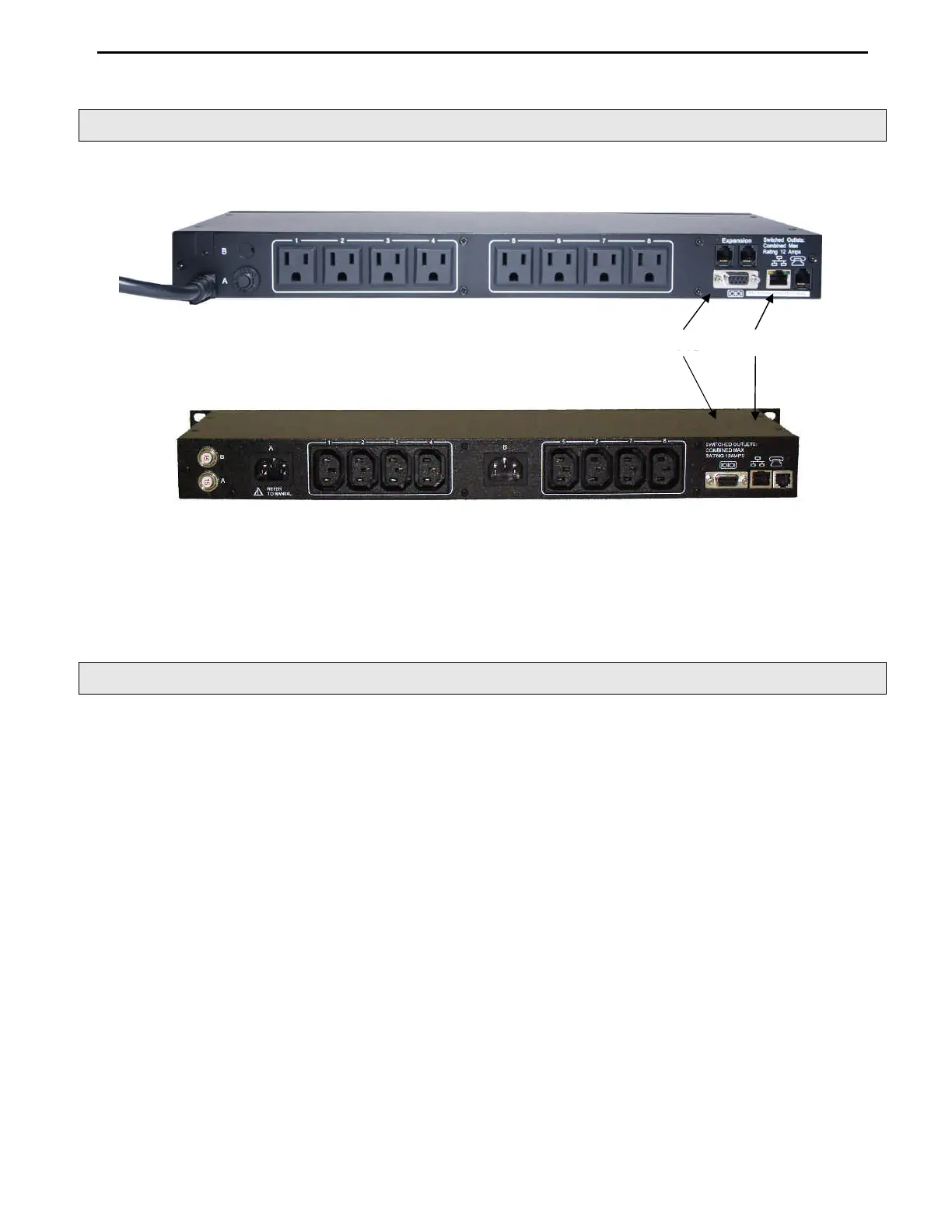
iBB-N15
120 VAC
iBB-2C10
Int’l Dual Input
Serial
Network


 To Next Page