Revision No. 005 August 2020
DataRemote 2020
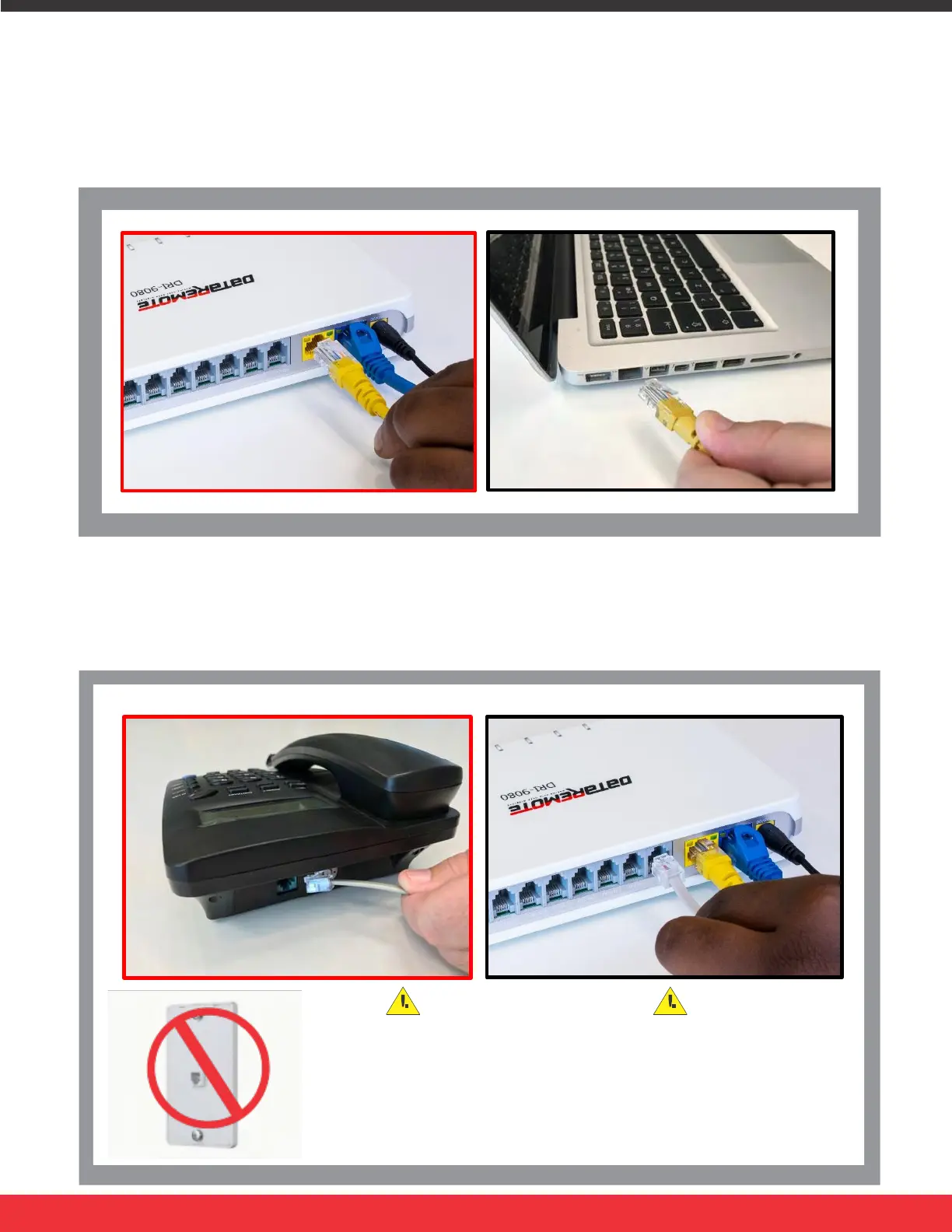
STEP 3
Connect the LAN port on your device with an Ethernet cable (RJ-45) to your
equipment or computer that needs to receive an Internet connection from the
DataRemote DRI-9080 device. Your device allows you to connect one (1)
device.
STEP 4
Connect the RJ-11 (Phone line) from your phone or equipment requiring a phone
line to one of the DataRemote DRI-9080 device’s FXS ports.
WARNING!
Do not connect an active RJ-11 with voltage directly from the
wall into the DataRemote device’s RJ-11 ports, this will damage
the device permanently. Each DataRemote device’s RJ-11 FXS
port is an active port supplying voltage. The FXS port is only to
be connected to an FXO analog phone or another FXO device.
Page 8


 To Next Page