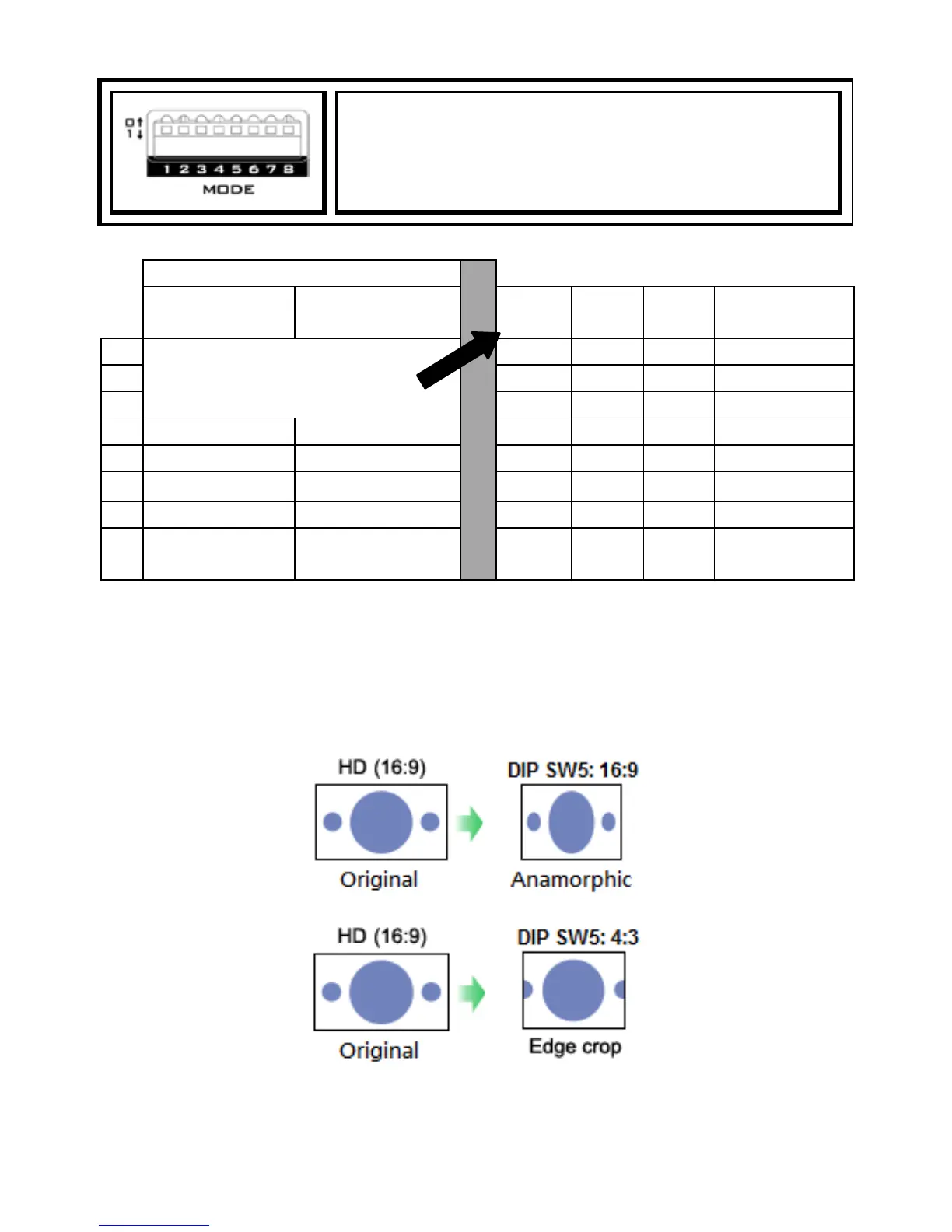
NOTE: Given a 16:9 HD video input, if DIP SW5 is set to 16:9, the image displayed on a
4:3 TV monitor will be anamorphic, i.e. the image will be compressed laterally.
However, if DIP SW5 is set to 4:3, the image displayed on a 4:3 TV monitor will
become edge-cropped, i.e. the left and right of the image will be partially cut off. The
diagram below provides an illustration of the above.
For an SD video input, if the input resolution is 16:9, set DIP SW5 to 16:9; if the input
resolution is 4:3, set DIP SW5 to 4:3.


 To Next Page