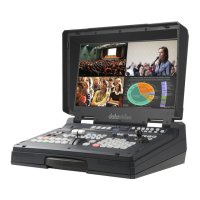
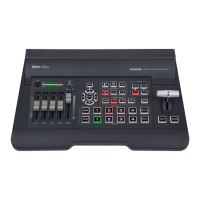
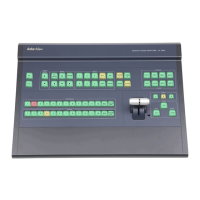
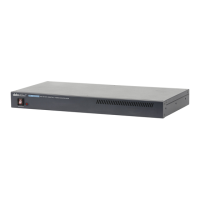
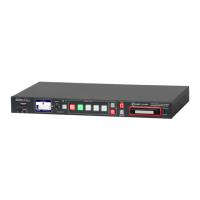
The Datavideo HS-4000 is an 8-input live production switcher designed for professional live events, supporting real 4K60/50P video resolution. It integrates a 5-inch LCD touchscreen for user-friendly operation and setup. The switcher offers a variety of video and audio input/output ports, including 12G-SDI and HDMI 2.0 interfaces, facilitating sophisticated live productions.
Function Description:
The HS-4000 serves as a central control unit for video switching, allowing users to select video sources and transition them to air during live production. It supports various image effects such as Picture-in-Picture (PIP), Downstream Key (DSK), Luma Key, Chroma Key, Wipe Generator, still stores, and logo insertion. The Crosspoint Assignment (XPT) feature provides flexible I/O combinations by rerouting physical I/O ports to control panel buttons. Additionally, it includes a built-in video streaming server (NVS-32) capable of streaming and recording programs simultaneously in H.264/265 encoded formats compliant with RTMP(S) and SRT protocols.
Important Technical Specifications:
- Video Standard: 4K & HD
- Video Format (Input):
- 3840x2160p: 60/59.94/50/30/29.97/25
- 1080p: 60/59.94/50/30/29.97/25
- 1080i: 60/59.94/50
- Video Format (Output):
- 3840x2160p: 60/59.94/50/30/29.97/25
- 1080p: 60/59.94/50/30/29.97/25
- 1080i: 60/59.94/50
- Latency:
- 50-60 Hz: 1 frame delay (2 frame delay for PIP output)
- 25-30 Hz: 2 frame delay (3 frame delay for PIP output)
- Video Processing: SDI: 4:2:2; HDMI: YUV 4:2:2 10 bit, RGB: 4:4:4 8/10 bit
- Video Input: Total 8 live inputs (select 8 from 12); 8 x 12G-SDI, 4 x HDMI
- Video Output: 4 x 12G-SDI / 3 x HDMI assignable (Multiview, Program, Preview, Program + DSK, Clean Program, Clean Preview, Input 1 – 12)
- Computer Graphical Interface: 4 via HDMI
- Analogue Audio Input: 4 x Analogue XLR
- Analogue Audio Output: 2 x Analogue XLR
- Digital Embedded Audio Support: Input: 4 Channels; Output: 4 Channels
- Audio Delay Calibration: Up to 16 Fields or 8 Frames per Channel
- A+V Switching: Yes
- Chromakey: 4
- Title Creator: 4 via HDMI (requires CG-200 download)
- USK (Upstream Keyers): 4 Keyers supporting Chromakey & Linear/ Luma Key
- DSK (Downstream Keyers): 2 x DSK supporting Lumakey & Linear key (Key / Fill)
- Picture in Picture: 2
- Logo Insertion: 2
- Still Store: 250
- Effects: FTB (Fade to Black), Cut, 32 Wipe with border
- Transition Preview: Full Transitions Preview
- Tally Output: 1 x D-sub 25pin, Dual Color
- PC Remote Control: DVIP (Ethernet)
- Built-in Audio Mixer: Yes
- Firmware Update: USB/Ethernet
- Special Features: 5 inch touchscreen display
- Operating Temperature: 0 - 40°C [32 - 104°F]
Usage Features:
- Control Panel: The physical control panel allows for direct selection of video sources, transitions (CUT, MIX, WIPE, STINGER), and activation of keyers and logos.
- GUI (Graphical User Interface): The 5-inch LCD touchscreen provides access to detailed settings for image effects (PIP, chroma key, DSK), I/O configurations, network settings, and firmware upgrades.
- Video Switching: Program and Preview rows enable selection of main program output and next source output, respectively. Transitions between these can be manual (T-Bar) or automatic (AUTO button).
- Source Row: Allows switching between SDI and HDMI interfaces for shared input channels (3/4/7/8) and custom assignment of video sources to output channels.
- Transitions: Supports MIX (dissolve/fade), WIPE (2D effects with configurable borders), and STINGER (animated effects, currently under development). Transition duration can be set in frames.
- Matte: Configurable background color for Program and Preview screens, adjustable by Luma, Saturation, and Hue.
- Keyers: Six dedicated keyers (Key 1-4, DSK 1-2) supporting Linear, Luma, and Chroma keying modes. Keyers can be configured for high or normal keying quality.
- Luma Key: Used for placing text or graphics (black and white) over video by removing black or white backgrounds. Parameters like Lift, Gain, Opacity, and Invert are adjustable.
- Chroma Key: Removes green or blue backdrops, ideal for inserting people onto backgrounds. Features include CK Auto for automatic Hue & Luma calculation, K Range, K Fgnd, K Bgnd, Hi-Light, Lo-Light, and Bg-Supp for fine-tuning.
- Mask: Shrinks the source image by removing borders, configurable in chroma, luma, or linear mode.
- Picture-in-Picture (PIP): Allows displaying a smaller secondary image over the background. PIP windows can be resized, cropped, and repositioned. Up to four keyers can be set to PIP mode, with two active simultaneously.
- Logo Insertion: Supports still and animated logos. Still logos are limited to 480x1080, animated logos to 480x270 (120 sequential files). Logos can be loaded from memory, imported from PC, and positioned via XY coordinates.
- AUX Output: Assigns video sources to output ports.
- Still Pictures: Allows loading, saving, and grabbing still images to/from internal memory (up to 250 stills).
- Audio Control: XLR Balanced Audio Inputs (4 channels) and Outputs (2 channels). Audio gain and delay are adjustable. Supports Audio Follow Video mode and external audio sources. Built-in audio mixer.
- Multiviewer: Displays monitoring images for Preview, Program, and Inputs 1-8, with overlaid audio level bars. Offers six different multi-view layouts.
- Tally Mode: Provides bi-color tally information (Red for On-Air, Green for next source) to compatible Datavideo products.
- GPI OUT: Simple external control for triggering playback devices.
- RS-232 Remote: Connects custom keyboard controllers for remote operation.
- Monitor HDMI IN: External HDMI input for confidence monitoring of live shows.
- Streaming and Recording (NVS-32):
- Simultaneous streaming and recording in H.264/265.
- Supports RTMP(S) and SRT protocols for live streaming to platforms like Facebook and YouTube.
- Configurable encoding format, resolution, video bitrate, and keyframe interval.
- Records high-quality MP4 files to SD cards (Class 10 or above recommended).
- Web User Interface for detailed configuration of streaming and recording settings, network, and system.
Maintenance Features:
- Firmware Update: The device firmware can be updated via USB Service Port or Ethernet Port using the CTL Upgrade Tool.
- Network Setup: Supports both Static IP and DHCP modes for network connection. Default static IP is 192.168.100.101. A reset hole allows restoring default IP settings.
- T-Bar Calibration: Manual calibration procedure for the T-Bar if it functions incorrectly.
- Factory Default Reset: Resets all configuration options to default, except for Setup settings.
- Auto Save: Automatically saves last settings within 5-10 seconds after exiting the GUI menu.
- SD Card Management: Formatting SD cards (FAT32 or exFAT) for video recording.
- Login Credential Reset: Procedure to reset web UI login credentials if forgotten.
- Monitor Settings: Adjustable brightness, contrast, saturation, tint, sharpness, RGB range, HDMI EDID, color space, gamma, HDR, backlight, color temperature, and various markers (center, aspect, safety) for screen calibration.
- OSD (On-Screen Display) Settings: Configurable OSD timer and transparency.

 Need help?

 To Next Page
 General