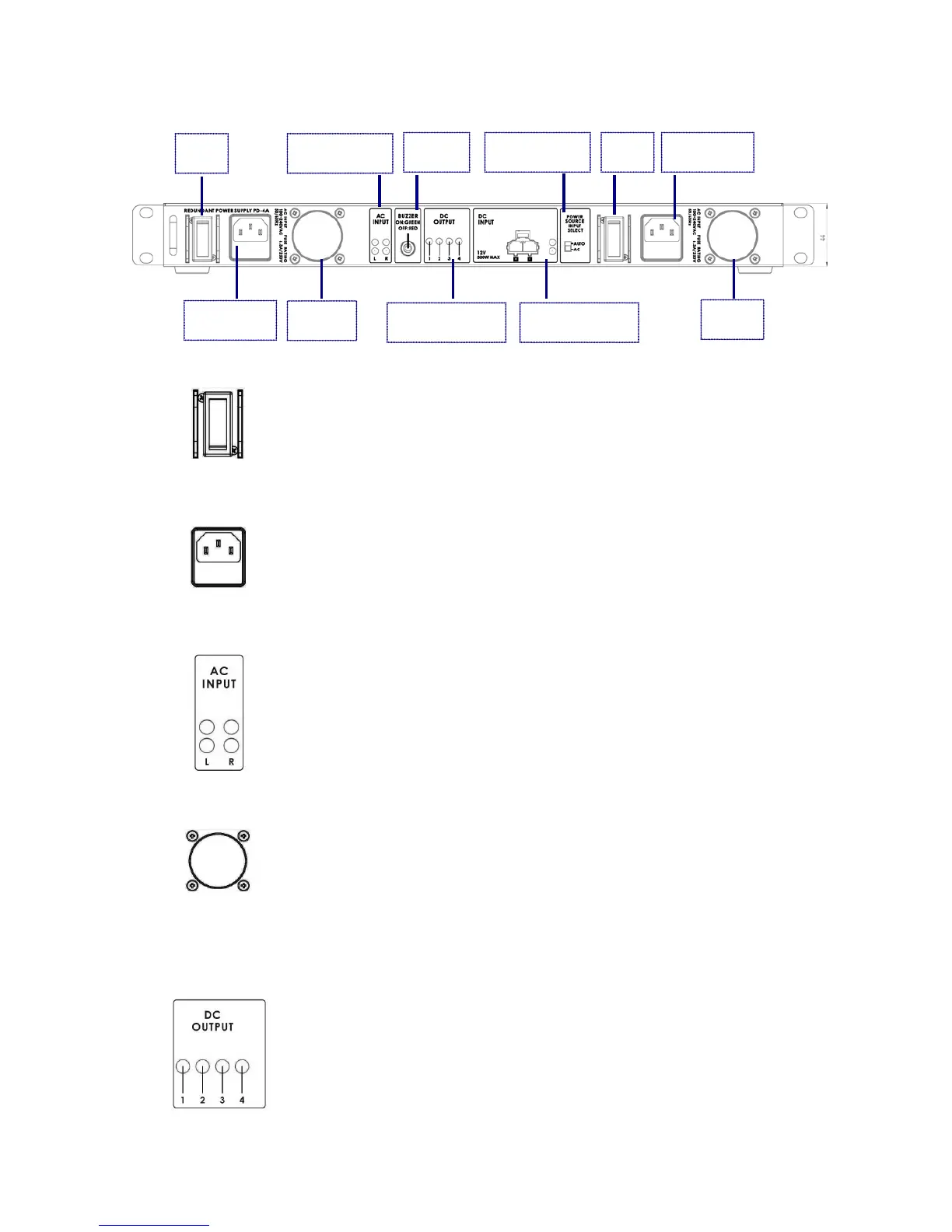
Powers the PD-4A On / Off when using AC Power.
Note: The On / Off Switch is not functional if the power input is DC.
AC Inlet for connecting to suitable mains power outlet – 100-
240VAC. The socket contains a fuse holder with a 6.3A/250V fuse.
L (LEFT AC Input) / R (RIGHT AC Input)
• Green: Good AC Input and DC output power
• Blinking Red: AC Input failed (When input falls below 80±5VAC)
The PD-4A has two built-in cooling fans; please ensure that the two
fans are not blocked and the airflow is available.
Note: Fan starts when internal ambient temperature reaches 70
DC OUTPUT LED Indicators (1-4)
1~4 XLR DC output LED indicators
LED Indicator is ON during normal operation
LED Indicator is OFF if the output is overloaded or faulty
Power Source
Input Select
DC Outputs LED
Indicator 1~4



 To Next Page