52
7.3 Image
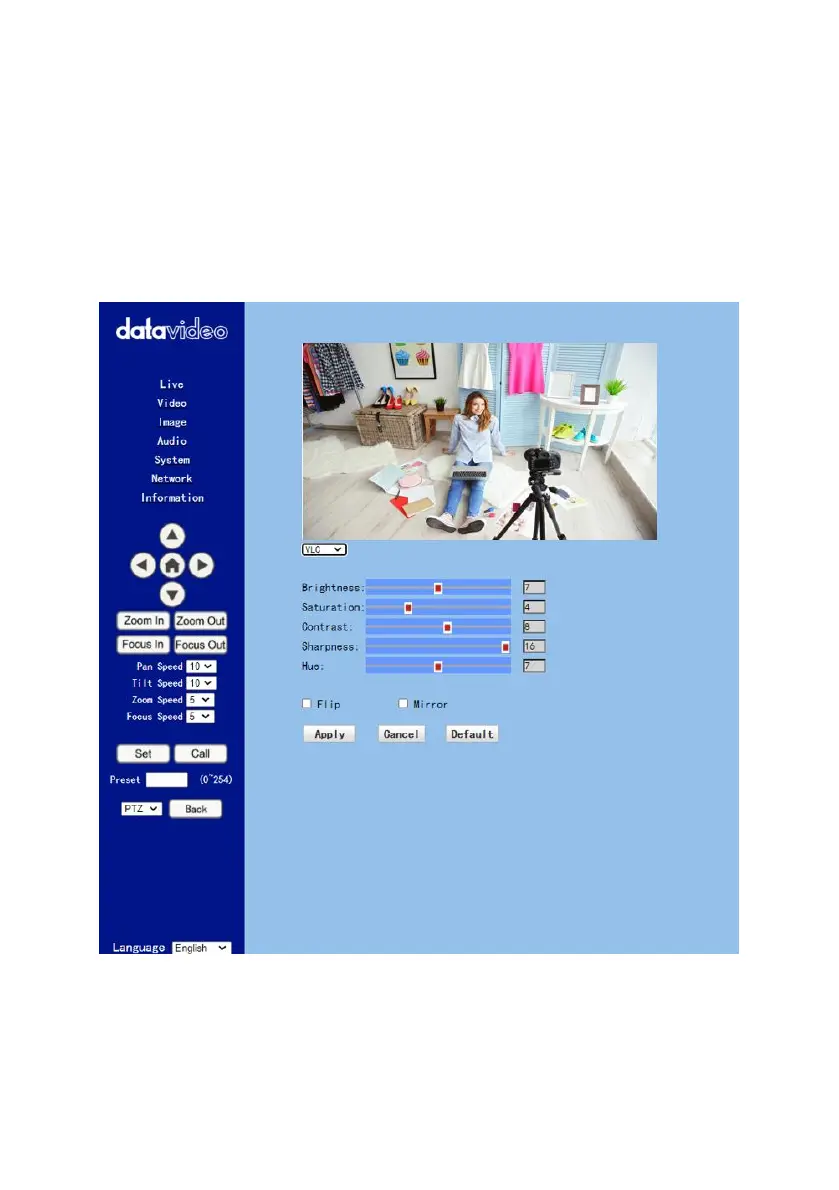
The “Image” option allows users to see the image that is shot by the PTC-280
from the preview window. Moreover, users can adjust many parameters
including Brightness, Saturation, Contrast, Sharpness and Hue from this
interface by using sliders. Please select “HTML5” from the drop-down menu
which is located below the preview window and then users can preview the
image which is shot by the PTC-280 from the preview window. The main
interface of the Image option is shown as following diagram.
Brightness:This option allows users to adjust the Brightness. Please
use the slider for adjusting the Brightness.






 To Next Page