73
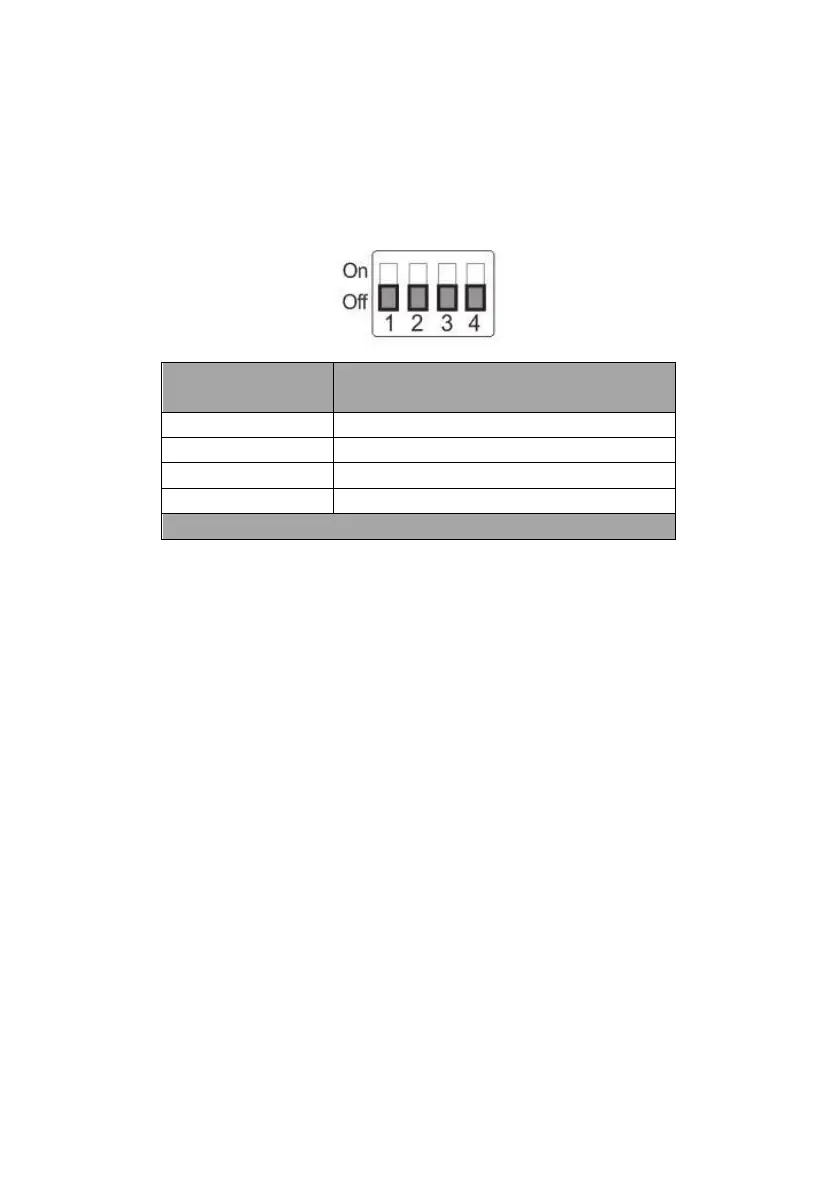
9.2 DIP Switch SW2 (IRID)
The IRID DIP Switch can be found on the rear panel of the PTC-280 camera.
This DIP switch allows the user to assign an ID number to the camera so that
the user can navigate between the cameras by pressing the CAMERA SELECT
buttons.
Camera Select Function (IR Remote
Control) – Camera ID Assignment
* DIP SW 3/4 should be always OFF.





 To Next Page