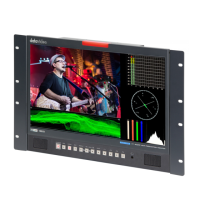
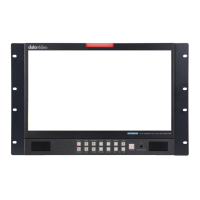
The Datavideo TLM-170L is a 17.3" 3G-SDI TFT LCD monitor designed for professional video monitoring applications such as live production galleries, 19" rack monitoring, OB Vans, and video editing suites. It is available in three models: TLM-170L (desktop), TLM-170LR (7U rack mount), and TLM-170LM (1U mobile tray rack mount).
Function Description:
The TLM-170L serves as a high-performance video monitor, capable of displaying various video formats with a native resolution of 1920 x 1080P. It supports both SDI and HDMI inputs, offering flexibility in connecting to different video sources. The monitor includes features for precise image control, audio monitoring, and system configuration through an On-Screen Display (OSD) menu. It also incorporates tally light functionality for live production environments and provides a USB port for firmware upgrades.
Important Technical Specifications:
- Display Size: 17.3 inches
- Resolution: 1920 x 1080
- View Angle: Top: 60 deg, Bottom: 60 deg, Left: 70 deg, Right: 70 deg
- White Luminance: 300cd
- Contrast: 400
- VESA Mounting Interface Standard (MIS): 100mm x 100mm
- Video Inputs:
- HDMI x 2 (HDMI Ver. 1.3)
- BNC x 1 (3Gbps/HD/SD-SDI)
- Video Output: BNC x 1 (Loop-Through, 3Gbps/HD/SD-SDI)
- SDI Signal Formats Supported:
- 1920 x 1080p @ 60/59.94/50
- 1920 x 1080p @ 30/29.97/25/24/23.98
- 1920 x 1080i @ 60/59.94/50
- 1280 x 720p @ 60/59.94/50
- 720 x 480i (NTSC)
- 720 x 576i (PAL)
- VESA Timing Supported:
- 1680 x 1050 (16:10)
- 1360 x 768 (16:9)
- 1280 x 1024 (5:4)
- 1280 x 1024 (4:3)
- 1280 x 960 (4:3)
- 1280 x 768 (4:3)
- 1152 x 864 (4:3)
- 1024 x 768 (4:3)
- 800 x 600 (4:3)
- Audio Input: Supports 3G/HD/SD-SDI embedded audio, Supports HDMI embedded audio (Ver.1.3)
- Audio Output: Internal Speaker, 3.5mm Headphone Socket (internal speaker mutes when headphones are connected)
- Tally: Tally Port x 1 (Bi-Color Tally Light: Red for Live, Green for Cued)
- Service Port: USB x 1 (USB 2.0 FW Auto Upgrade)
- Power: DC 12V
- Operating Temperature: 0 °C to 45 °C
- Storage Temperature: -10 °C to 60 °C
- Weight: 4.1 Kg
- Dimensions (TLM-170L): 401mm (W) x 259.90mm (H) x 20.58mm (D) (excluding stand)
Usage Features:
- Panel Resolution: 1920 x 1080P for clear and detailed images.
- Video Inputs: Supports 3G-SDI video input with loop-through output and two HDMI inputs.
- Image Adjustment: Independent adjustment of Brightness, Contrast, Color Saturation, and LED Backlight Level.
- Scan Modes: Monitor Underscan and Overscan mode selection.
- Color Temperature: User-selectable color temperature (6500, 9300, 7500, User Color with Red, Green, Blue adjustments).
- Audio Monitoring: Headphone Jacks on the front panel and embedded audio support on SDI & HDMI (ver 1.3).
- Tally Light: Bi-colour Tally light and 3.5mm Jack Tally input socket, indicating Live (Red) or Cued (Green) source. Tally light information can be supplied from Datavideo RMC-140, TB-5, TB-10, ITC-100SL, or ITC-200B/E.
- Safe Area: Displays a safe area overlay.
- Blue Only: Eliminates red and green components of input signals, displaying only the blue component for calibration.
- Image Zoom: Supports image zoom (HD only) with x1, x2, x4, and x8 options. The zoomed display can be moved left/right using VOL +/- keys and up/down using up/down keys. A flashing ZOOM button light indicates active zoom mode. To exit zoom, press the MENU key.
- Pattern Button: Displays internally generated SMPTE 75% Colour Bars for calibration, toggles back to video input on second press.
- Aspect Ratio Button: Sets the Aspect Ratio to 16:9 / 4:3.
- Mute Button: Mutes audio from internal speakers or headphone socket.
- Volume Control: Adjusts speaker/headphone volume.
- OSD Menu: Comprehensive menu system for setup, including:
- Main Adjust: Brightness, Contrast, Sharpness, Saturation, Tint, Backlight, NR (High/Mid/Low/Off), DLC (Enable/Disable), Volume.
- Color: Preset color temperatures (6500, 9300, 7500) and User Color (Red, Green, Blue adjustments).
- Scan Setting: Under Scan (Full Image), Over Scan (Cropped Image).
- Information: H. Frequency, V. Frequency, Resolution, Version.
- Language: English (default), Francis, Deutsch, Español, Italiano, Dutch, Português, Russian.
- Special Function: OSD Timeout (5-120 SEC), Frame Ratio (80/90/Off), 4:3 Mark Line (On/Off), Central Mark (On/Off), Cinema Zone Mark (On/Off), Audio Channel L, Audio Channel R.
- Factory Reset: Option to restore default settings.
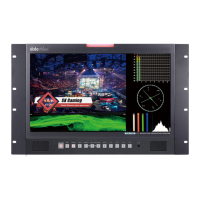
- Rack Mounting (TLM-170LR): Supplied with 19" Rack Ears for 7U rack mounting. Screws are provided to attach the rack ears.
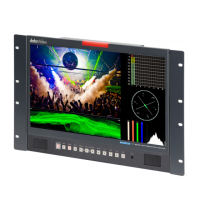
- Rack Mounting (TLM-170LM): Designed for 1U rack mounting when folded away, expanding to 7U when opened. Features sliding rack rails with length adjustment to fit cabinet depths. Locking screws secure the monitor in the folded position.
Maintenance Features:
- Firmware Update: The monitor supports firmware updates via a USB 2.0 pen drive. The process involves downloading the latest firmware file (renamed to MSTFLASH.bin), copying it to an empty USB drive, plugging the drive into the "MAINTENANCE" USB port on the rear, and rebooting the monitor. The update takes approximately 15 minutes and should not be interrupted.
- Cleaning: Unplug the unit from the wall outlet before cleaning. Use a damp cloth; avoid liquid or aerosol cleaners.
- Ventilation: Slots and openings on the cabinet are provided for ventilation. Do not block or cover these openings to ensure safe and reliable operation and prevent overheating.
- Service: Refer all service issues to qualified service personnel. Opening covers marked "Do Not Remove" may expose dangerous voltage points and void the warranty.
- Warranty: Standard one-year warranty against manufacturing defects. A free two-year extension is available if the product is registered within 30 days of purchase. Certain parts (LCD panels, DVD drives, Hard Drive, SSD, SD Card, USB Thumb Drive, Lighting, Camera module, PCIe Card) have a limited one-year warranty.
- Disposal: For EU customers, the WEEE marking indicates that the product should not be disposed of with household waste but through designated collection points for recycling electrical and electronic equipment.

 Need help?
 General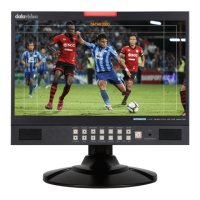





 To Next Page