Troubleshoong
Acon Replay doesn’t load. My PSP just boots straight into the normal browser.
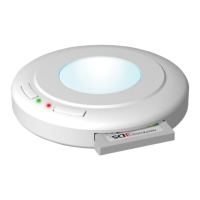
Ensure that you enabled your baery correctly (Secon 1). When connected to the
enabler, the le-hand light should be illuminated.
Aer using the Baery Enabler, I can’t get into the normal PSP browser.
See Secon 7 ‘When you don’t want to use Acon Replay’.
I just get a black screen when I try to boot Acon Replay.
1. Ensure you have the Acon Replay memory card inserted in your PSP.
2. Have you formaed your memory card? If so, you may need to recover
Acon Replay. Please visit the support secon for instrucons (see URL below).
3. You may need an updated version of Acon Replay. See the end of Secon 6.
Contact
If you are sll experiencing difficules, please check our online support site.
Aer doing so, if you sll need to contact Datel customer services, please
have ready the Acon Replay version number (shown on the opons
screen) along with when and where you purchased the product.
DATEL CUSTOMER SERVICES EUROPE:
Customers Services, Datel Ltd,
Stafford Road, Stone, STAFFS. ST15 0DG UNITED KINGDOM
Email: support@codejunkies.com Web: uk.codejunkies.com/support
DATEL CUSTOMER SERVICES USA:
ATTN: Customer Services, Datel Design & Development Inc,
33 North Garden Avenue, Suite 900, Clearwater, FL 33755, UNITED STATES
Email: support@dateldesign.com Web: us.codejunkies.com/support
© 2008 Datel Design & Development Ltd. Acon Replay is a trademark of Datel Design &
Development Ltd. Acon Replay Codes ©1996-2008 Datel Design & Development Ltd and/or its
suppliers. Acon Replay for PSP is a 100% unofficial product and is NOT sponsored, endorsed or
approved by Sony, nor any games developer or publisher. PSP and PlayStaon are registered
trademarks of Sony. All other trademarks are the property of their respecve owners.


 To Previous Page
 Loading...