Press the left button once to catch the Pokémon/collect items from Pokéstops (1)
Swipe up on the screen to catch the Pokémon/collect items from Pokéstops (2)
Press the right button once to catch the Pokémon/collect items from Pokéstops (3)
Open the Pokémon Go App
Select Main Menu
Select Settings
Select ‘Connected Devices and Services’
Select ‘Accessory Devices’
Disable ‘Identify Nearby Pokémon’
Toggle ‘Auto-catch’ Pokéstops to ‘on’
Toggle ‘Auto-catch’ Unknown and Known Pokémon to ‘off’
ONLY Auto-Catch/Manual Catch Items At Pokéstops
If you only want to auto-catch Pokéstop items and not unknown/known Pokémon you need to change
additional settings in the Pokémon Go app.
Unknown Pokémon
In Range
Pokéstop
In Range
Known Pokémon
In Range
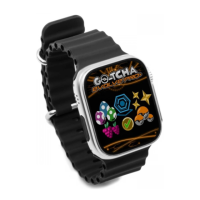
Go-tcha Evolve Pro+ will vibrate and animate the screen to let you know that a Pokémon or
Pokéstop is in range from one of the below animations.
You can manually catch a Pokémon or collect items from Pokéstops in one of 3 ways:
2
1 3
If you do not do this, Pokémon Go and Go-tcha Evolve Pro+ will keep prioritising notifications for
Pokémon in range over Pokéstops in range.
Then, on the Go-tcha Evolve Pro+:


 To Next Page