EasyManua.ls Logo

Datel Go-tcha Evolve - User Manual

Datel Go-tcha Evolve
4 pages
Print Icon
To Next Page IconTo Next Page
Loading...
User Guide
What’s In The Box?
In your Go-tcha Evolve for Pokémon Go box you
should receive:
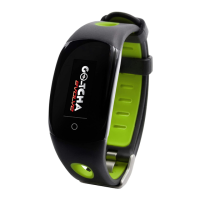
x1 Go-tcha Evolve Smartwatch
x1 Charging Instruction Card
Thank you for purchasing the Go-tcha
Evolve for Pokémon Go!
Enjoy Pokémon GO on the move without looking
at your smartphone!
Charging Your Go-tcha
The Go-tcha Evolve has a built-in USB charging connector accessed by removing the buckle end of
strap. Connect the built-in USB charging unit into a power source - fully charged and ready to use in
1 1/2 hours.
IMPORTANT: Check that the Go-tcha Evolve is inserted into the USB port of the power source the
correct way up. Even though it goes into the USB port both ways - the animation screen will only
appear when inserted in the correct orientation. Only when the charging animation is displayed, is
your Go-tcha Evolve actually charging.
Before You Start - Ensure that your Go-tcha Evolve has the latest firmware
Download the Go-tcha Evolve App for even more features like checking your stats and changing your
smartwatch settings to enhance the Go-tcha experience. Simply scan the QR code to take you to
Go-tcha Evolve on the Apple or Android App Store page or search ‘Go-tcha Evolve’ in the App store.
Remove and
reconnect
at 45º
Connect to a power supply with a USB port
Check for
charging animation
WRONG
- Could damage connector!
CORRECT
Do not pull
straight off
USB Charging
Connector
Question and Answer IconNeed help?

Do you have a question about the Datel Go-tcha Evolve and is the answer not in the manual?

Summary

Getting Started with Go-tcha Evolve

Whats In The Box

Lists the contents of the Go-tcha Evolve for Pokemon Go box.

Charging Your Go-tcha

Instructions on connecting the Go-tcha Evolve to a power source for charging.

Firmware and App Setup

Ensures the Go-tcha Evolve has the latest firmware via the companion app.

Connecting and Operating the Go-tcha Evolve

Connecting to the Pokémon GO App

Steps to connect the Go-tcha Evolve to the Pokémon GO application via Bluetooth.

Manual Pokémon Catching and Pokéstop Collection

Guide to manually catching Pokémon and collecting items from Pokéstops.

Auto-Catching and Auto-Collection

Instructions for enabling and using the auto-catch feature for Pokémon and Pokéstops.

Device Features and Support Information

Go-tcha Evolve Animation Screens

Explanation of the various colour animations used to alert users to device status.

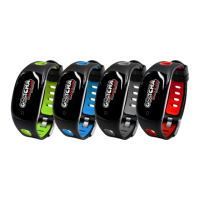
Available Product Variants

Showcases the different colour options for the Go-tcha Evolve and provides update website.

Technical Support Details

Information on how to access technical support, including contact and web resources.

Summary

Getting Started with Go-tcha Evolve

Whats In The Box

Lists the contents of the Go-tcha Evolve for Pokemon Go box.

Charging Your Go-tcha

Instructions on connecting the Go-tcha Evolve to a power source for charging.

Firmware and App Setup

Ensures the Go-tcha Evolve has the latest firmware via the companion app.

Connecting and Operating the Go-tcha Evolve

Connecting to the Pokémon GO App

Steps to connect the Go-tcha Evolve to the Pokémon GO application via Bluetooth.

Manual Pokémon Catching and Pokéstop Collection

Guide to manually catching Pokémon and collecting items from Pokéstops.

Auto-Catching and Auto-Collection

Instructions for enabling and using the auto-catch feature for Pokémon and Pokéstops.

Device Features and Support Information

Go-tcha Evolve Animation Screens

Explanation of the various colour animations used to alert users to device status.

Available Product Variants

Showcases the different colour options for the Go-tcha Evolve and provides update website.

Technical Support Details

Information on how to access technical support, including contact and web resources.

Datel Go-tcha Evolve Specifications

General IconGeneral
BrandDatel
ModelGo-tcha Evolve
CategoryHeart Rate Monitor
LanguageEnglish

Related product manuals