3-2 HH7700-MSOP
3: Radio Operation
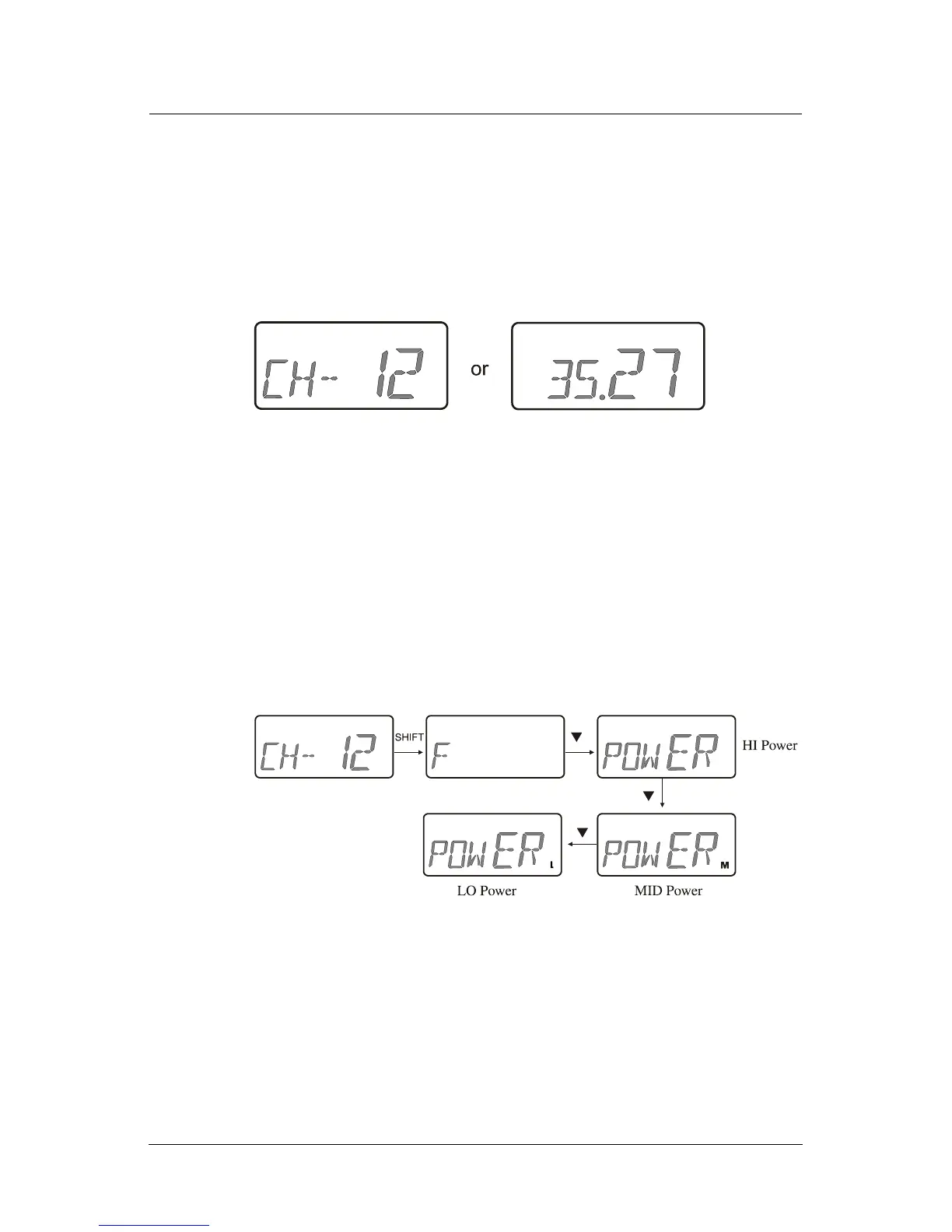
If a channel has not been assigned to a position, NO-CH is displayed.
To access the channels that are not preset:
1. Turn the channel knob to
F.
2. Press ▲ or ▼ to scroll through the channels.
3. Press
SHIFT to display the channel’s frequency.
Note: The radio is programmed to display either channel
numbers or channel frequencies. It is not possible to display both.
Setting Output Power
The power level can be set for each channel (high, medium or low).
To set the power level:
1. Navigate to the channel to set and press
SHIFT.
2. Press ▼ to scroll through the power levels of high (no icon is
displayed) medium (M) or low (L).
3. Press SHIFT to release.
Note: If a button is not pressed during the power change, this mode
terminates automatically after 5 seconds.



 To Next Page