3-10 HH7700-MSOP
3: Radio Operation
Back Light Feature
The back light is enabled using the Programmer and can affect the
display area and buttons on the radio in various ways:
• On After Key. The light goes on after any key is pressed (default).
It lights up for 1 second when the radio is turned on and for 5
seconds when the channel knob is turned or any other button is
pressed (pressing any key within this 5 seconds extends the light
5 seconds longer).
• Always on. The light is always on.
• Disable. No light (useful in combat situations).
Scramble Feature
The scrambler is a hopping type of rolling code encryption that must be
installed in your radio. A
SCRAMBLE button must also be assigned by the
Programmer for this feature to work. For details about using this feature,
refer to the TVS-2-DT1 manual.
VOX Feature
VOX allows hands-free operation for voice detection and transmission.
A
VOX button must be assigned by the Programmer for this feature to
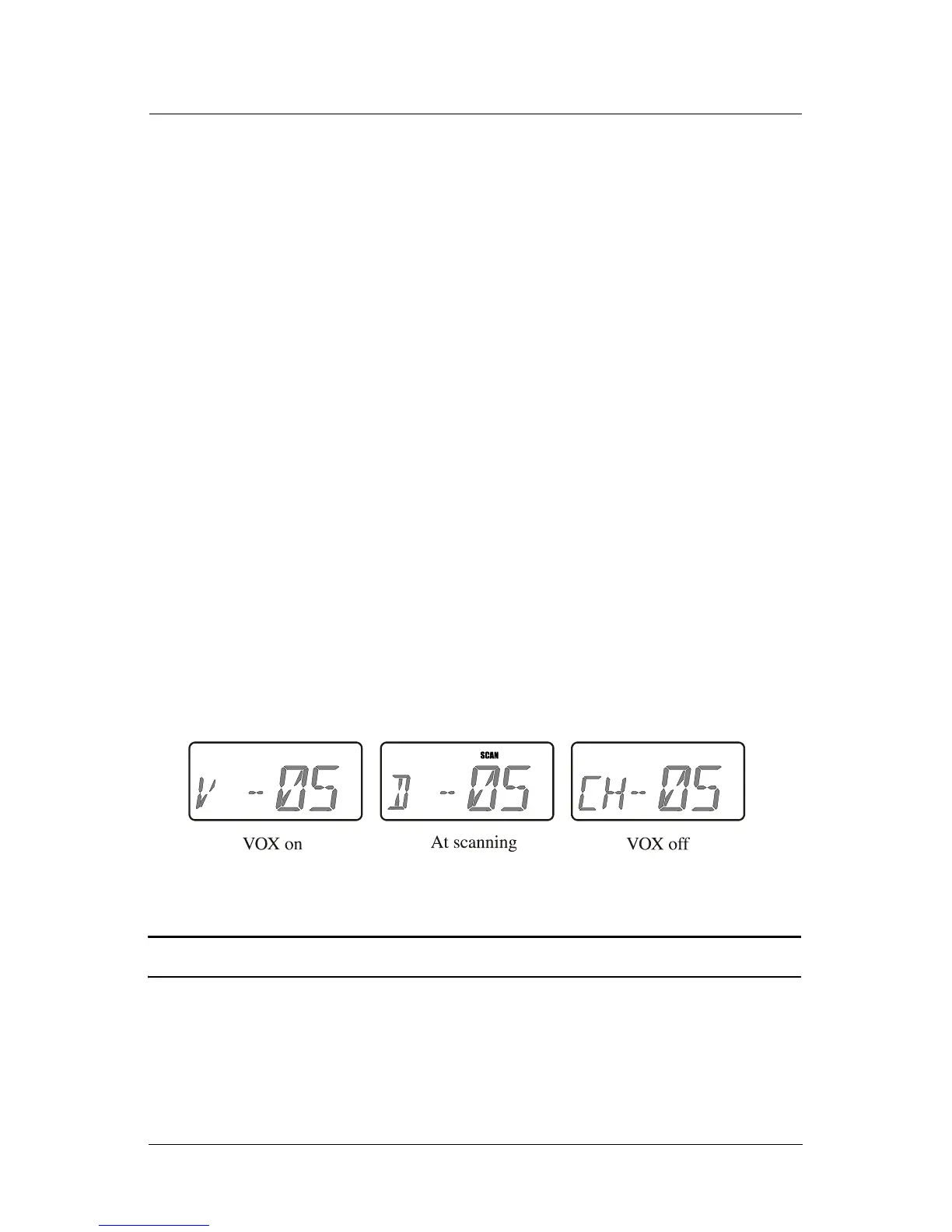
work. When VOX is enabled,
V is displayed. When scan is activated,
VOX is overridden.
The VOX status is retained when the radio is turned off.
CAUTION: Not to be used with the Whisper feature.



 To Next Page