15
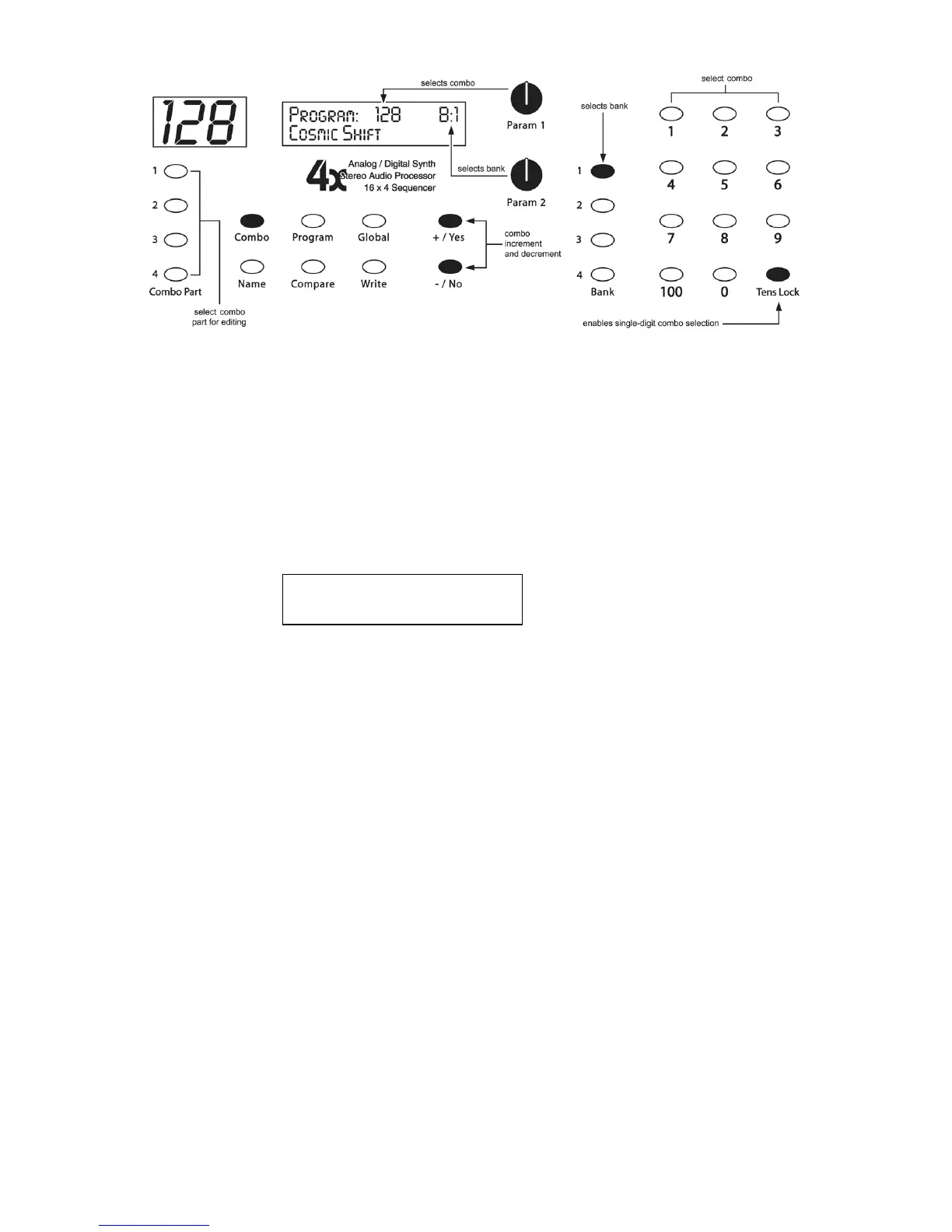
To edit the Combo parameters, first hit the desired C
OMBO
P
ART
Switch. The P
ARAM
1
knob now selects the parameter, and the P
ARAM
2 knob changes the value. The + and
– switches will increment/decrement the value also. See the Combo Parameters
section for a detailed list of all parameters and their functionality.
Saving a Program or Combo
To save a Program or Combo, press the W
RITE
switch and the following screen
appears:
Write? P:xxx B:x
Hit: Yes or No
Press the +/Y
ES
switch to save the current Program or Combo, or -/N
O
(or the W
RITE
switch again) to cancel. To store in a different location, use P
ARAM
1 to select a new
Program or Combo destination, and P
ARAM
2 for a different bank.
If there is another Poly Evolver or Evolver Poly Chained, and they have been updated
to the latest software revisions, the program/combo will be saved in the chained units
also.
Compare Feature
: While editing a Program or Combo, you can press the C
OMPARE
switch to listen to the original version. If you press the switch again, the Poly returns
to the edited version.
Audition Destination Feature
: While there is a write pending (see screen above),
you can press the C
OMPARE
switch to hear the target Program or Combo destination
before saving. Just be sure to turn Compare off again before you actually hit the
+/Y
ES
switch to save.



 To Next Page