31
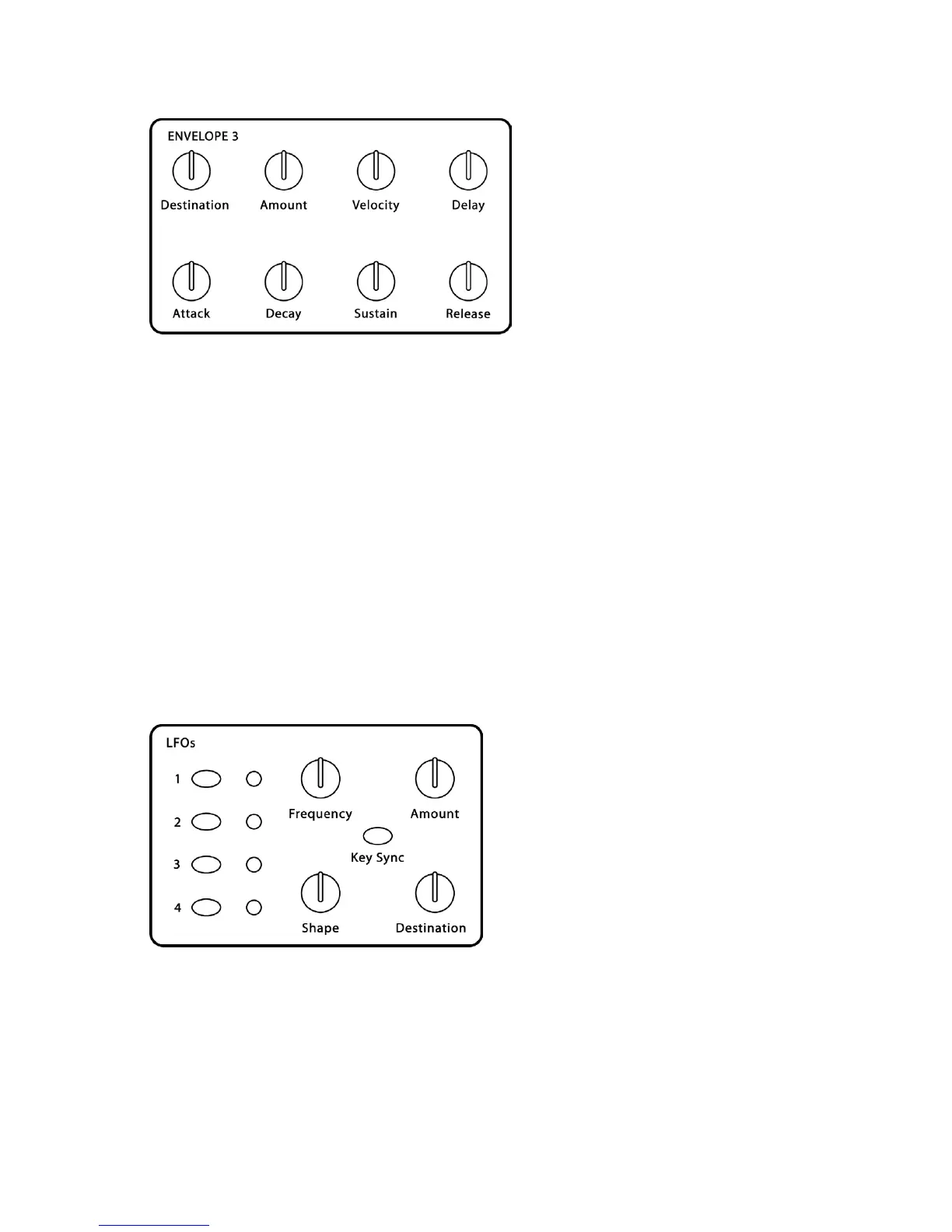
Envelope 3
Destination:
see table – Sets the Envelope 3 destination. See the Modulation
Destination table on page 41 for a list of possible destinations.
Amount:
-99…+99
–
Sets the amount of Envelope 3.
Velocity:
0…100 – Sets the amount of MIDI velocity controlling the level of envelope
3.
Delay:
0…100 – Sets the delay time of Envelope 3, prior to Attack.
Attack:
0…110 – Sets the Attack time of Envelope 3.
Decay:
0…110 – Sets the Decay time.
Sustain:
0…100 – Sets the Sustain level.
Release:
0…110 – Sets the Release time.
LFOs
The Poly Evolver has four identical Low Frequency Oscillators (LFOs). To select a
specific LFO for editing, press the appropriate switch, 1–4. Turning a knob will then
adjust the parameters of the selected LFO. Holding one of the four switches will solo
that LFO (the switch will blink) by setting the Amounts of the other three to zero. It
does not affect any modulation that is routed to LFO Amounts, though, so at times it
may not completely turn off all other Amounts.


 To Next Page