33
Modulators
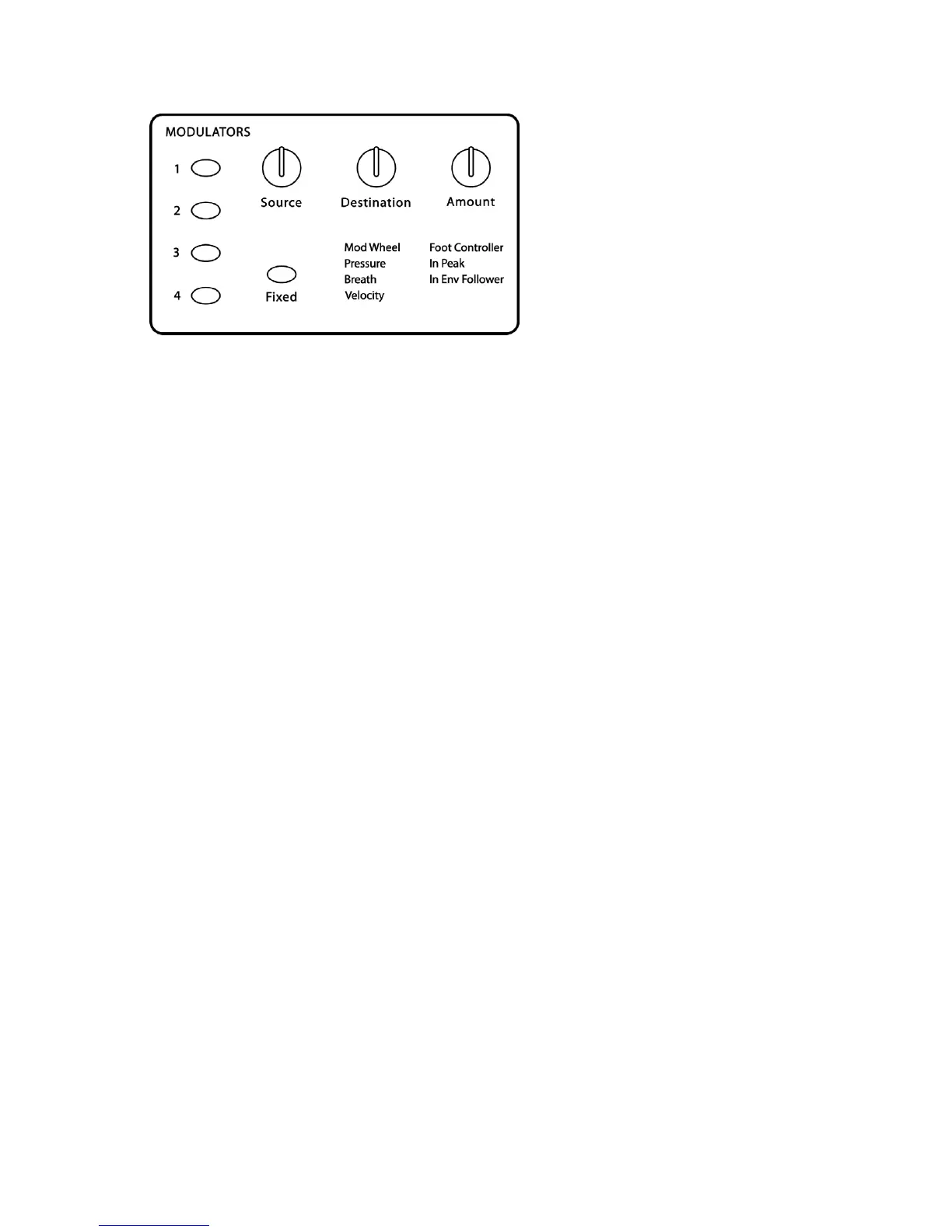
The Modulators section lets you configure the modulation routing and amount for the
Poly Evolver’s four general-purpose modulation slots as well as for MIDI controllers
such as the Mod Wheel, Key Pressure, Velocity, Breath Control, and more.
Since each Evolver mod source has a single destination, the four general purpose
Mods provide a way to send a mod source (such as a sequence or LFO) to additional
destinations, with a different amount. There are also additional mod sources available
here, such as noise and the digital oscillators, allowing a wide variety of possibilities,
such as audio-rate modulation. While some destinations may not be able to keep up
with audio-rate modulation, you will certainly be able to generate interesting sonic
results.
To configure a general-purpose modulation slot, press the appropriate switch, 1–4,
and use the Source, Destination and Amount knobs to set the modulation as desired.
Holding one of the four switches will solo that Mod (the switch will blink) by setting the
Amounts of the other three to zero. It does not affect any modulation that is routed to
Mod Amount, though, so at times it may not completely turn off all other Amounts.
To configure modulation for a controller, press the F
IXED
switch, select the desired
controller with the Source knob, then use the Destination and Amount knobs to set its
modulation.
The Breath and Foot Controller parameters can be controlled by the Pedal/CV 1 and
2 inputs on the rear panel. This gives you the ability to route them to different
parameters on each Program for more flexible control.
The In Peak fixed source takes the momentary peak of the left external audio input,
and uses it as a modulation signal. The In Env Follower generates an envelope from
the Left external audio input, and uses it as a modulation signal.
Source 1:
see table – Selects a modulation source. See the list on page 43 for
possible sources.
Note
: General-purpose mod slot Sources are not filtered, so a MIDI controller
going through this route will react quicker, but may produce stepping noise,
depending on the controller. For filtered (smoothed) MIDI controller operation, use
the direct Pressure, Mod Wheel, Breath Control, or Foot Control parameters in the
Fixed mods.
Amount 1:
-99…+99 – Sets the amount of modulation.


 To Next Page