EasyManua.ls Logo

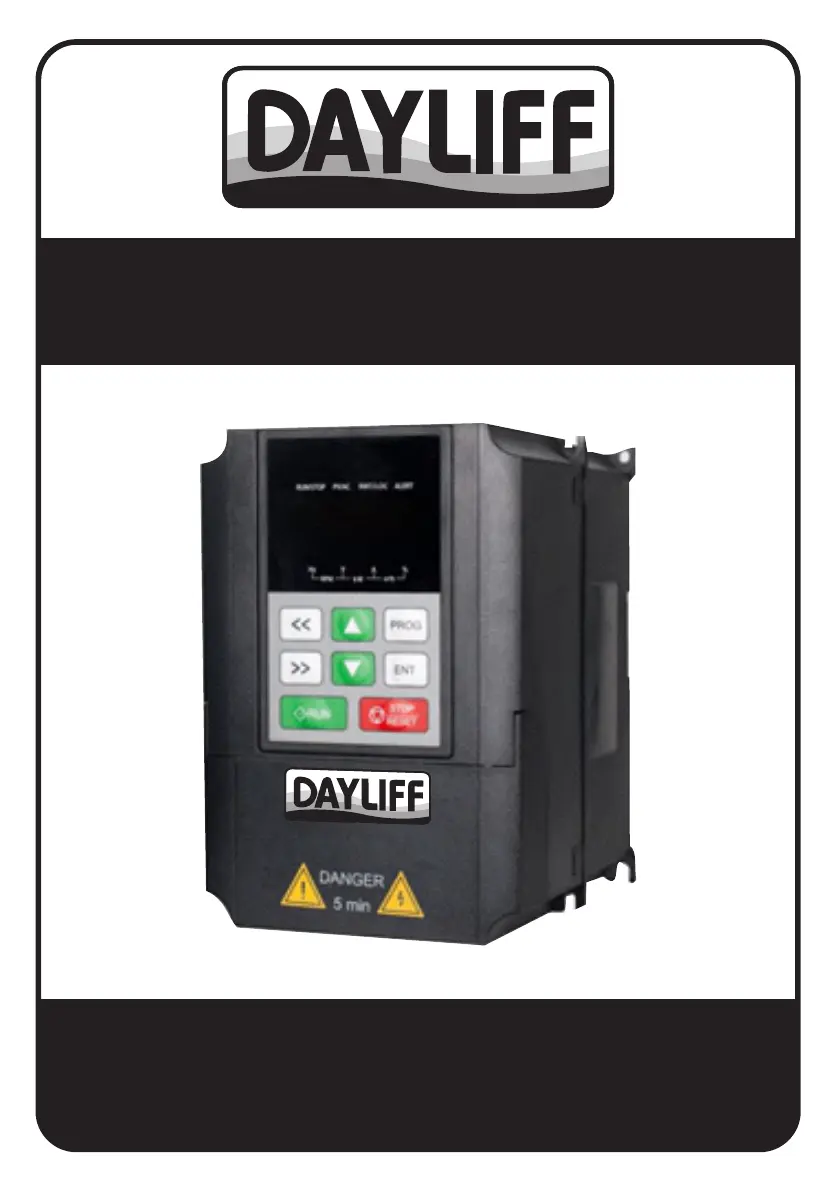
DAYLIFF SUNVERTER B - User Manual

DAYLIFF SUNVERTER B
40 pages
Print Icon
To Next Page IconTo Next Page
Loading...
SUNVERTER B
AC SOLAR PUMP CONTROLLER
Installation &
Operating Manual

Questions and Answers

  • E
    Elizabeth DaltonAug 20, 2025
    What to do if my DAYLIFF SUNVERTER B Controller displays OC1 (Overcurrent when Accelerating)?
    • S
      swilliamsAug 20, 2025
      If your DAYLIFF Controller displays OC1, it indicates an overcurrent during acceleration. This could be due to several reasons: the acceleration or deceleration being too fast, low input voltage, the inverter's rated power being too low, an abnormal pump load, or abnormal cables. To resolve this: 1. Increase the acceleration or deceleration time. 2. Check the input power supply. 3. Choose an inverter with matching power. 4. Check for a locked-rotor pump motor, unbalanced three-phase resistance in the pump motor, or uninsulated motor phase cables. 5. Check the output cables for correct connection and proper insulation.
  • J
    Joseph DonovanAug 22, 2025
    What to do if my DAYLIFF SUNVERTER B Controller displays OU1 (Overvoltage when Accelerating)?
    • J
      Jessica GutierrezAug 22, 2025
      If your DAYLIFF Controller displays OU1, which means overvoltage during acceleration, it may be due to an abnormal input voltage or an excessively heavy pump load. To address this issue: 1. Check the input power supply to ensure it is within the correct range. 2. Increase the acceleration or deceleration time, or install a proper braking resistance/unit.
  • M
    Megan RobbinsAug 25, 2025
    What to do if my DAYLIFF Controller displays OL1 (Pump Overload)?
    • N
      Norma ConradAug 25, 2025
      If your DAYLIFF Controller displays OL1, indicating a pump overload, it could stem from several causes: low input voltage, an improperly set pump motor rated current, a locked-rotor motor, a mismatch between the inverter and pump power, or too rapid acceleration. To troubleshoot: 1. Check the input power supply. 2. Set the proper rated current for the pump motor. 3. Inspect the load and adjust the torque lifting capacity. 4. Select a motor and inverter with matching power ratings. 5. Increase the acceleration time.
  • J
    John TranAug 26, 2025
    What to do if my DAYLIFF SUNVERTER B Controller is tripping after power on or during operation?
    • K
      Kaitlyn HodgesAug 26, 2025
      If your DAYLIFF Controller is tripping, check for the following potential causes: * Grounding or short circuits between the input power supplies. * Installation of a leakage protector at the input. * Grounding or short circuits between motor leads. If tripping occurs occasionally and the distance between the pump and the inverter is relatively long, consider installing an output AC reactor.
  • N
    Nicholas MckinneyAug 27, 2025
    Why does my DAYLIFF SUNVERTER B display OH1 (Rectifier Module Overheat)?
    • D
      Dominique JenkinsAug 27, 2025
      If your DAYLIFF Controller shows OH1, it means the rectifier module is overheating. This can be due to: 1. A blocked air duct or a damaged cooling fan. Clear the air duct or replace the cooling fan. 2. A high ambient temperature. Lower the ambient temperature. 3. Loose connections or plug-ins in the control board. Check and reconnect them.
  • K
    Kayla WrightAug 29, 2025
    What to do if my DAYLIFF SUNVERTER B displays fault code and cannot operate?
    • P
      ptannerAug 29, 2025
      If your DAYLIFF Controller displays a fault code and cannot operate, check the fault code in parameters F07.27~F07.32 and find solutions according to Table 5-1 Fault Code Description.
  • S
    Shirley JohnsonAug 31, 2025
    What to do if my DAYLIFF SUNVERTER B Controller displays SP1 (Input Phase Loss)?
    • V
      vickiepalmerAug 31, 2025
      If your DAYLIFF Controller displays SP1, which indicates an input phase loss, it means there is a phase loss in the input R, S, T. To resolve this, check the input power supply and the installation wiring.
  • C
    Christina SmithSep 2, 2025
    What to do if my DAYLIFF SUNVERTER B Controller displays SPO (Output Phase Loss)?
    • B
      Brent WilsonSep 2, 2025
      If your DAYLIFF Controller displays SPO, indicating an output phase loss, it may be due to a phase loss in the output U, V, W or a seriously unbalanced three-phase pump. You should check the output wiring, pump motor, and cables.
  • R
    Ryan LewisSep 4, 2025
    How to fix braking unit fault (bC) on DAYLIFF SUNVERTER B?
    • G
      gregg14Sep 4, 2025
      If your DAYLIFF Controller displays 'bC', indicating a braking unit fault, it could be due to a faulty braking circuit or damaged braking pipeline, or the external braking resistance being too small. To resolve this: 1. Check the braking unit and replace the braking pipeline. 2. Increase the braking resistance.
  • K
    Kaylee PerezSep 6, 2025
    What causes CE (485 Communication) error on DAYLIFF SUNVERTER B Controller and how to resolve it?
    • M
      Michael WhiteSep 6, 2025
      If your DAYLIFF Controller displays 'CE', indicating a 485 Communication error, it may be due to an improper baud rate setting, a serial communication error, or a long communication interrupt. To solve this: 1. Set the proper baud rate. 2. Press STOP/RESET to reset. 3. Check the wiring of the communication interface.

Summary

Controller Specifications

Controller Functionality and Features

Details the core functionalities, including MPPT, soft start, and protection features.

Operating Conditions and Technical Data

Specifies environmental requirements and technical data for different inverter models.

Safety Symbols and Warnings

General Symbols and Purchase Inspection

Explains warning symbols, cautions, and checks before purchasing/installing.

Installation and Wiring Safety

Details safety measures for installation and electrical wiring procedures.

Operation and Maintenance Safety

Provides crucial safety instructions for operating and maintaining the inverter.

Other Safety and Disposal Warnings

Covers remaining safety notes and a warning regarding inverter disposal.

Installation and Wiring Procedures

Installation Instructions and Method

Guides on environmental requirements and installation orientation for optimal performance.

Mounting and Wiring Steps

Step-by-step instructions for physically mounting and wiring the inverter.

Wiring Diagrams for Power Supply

Visual representations of various power supply connection configurations for pumps.

Operation and Control

Panel Layout, Indicators, and Keys

Describes the control panel, indicators, and functions of operation keys.

Parameter Settings and Initial Setup

Guides on navigating menus, modifying parameters, and performing initial setup.

Function Parameters Reference

Details various functional parameters grouped by category for system configuration.

Troubleshooting Common Issues

Common Faults and Solutions

Lists typical issues, their causes, and corrective actions for the inverter.

Maintenance and Storage

Routine Inspection and Maintenance

Outlines procedures and safety precautions for inspecting and maintaining the inverter.

Replacing Damaged Parts

Details the inspection and replacement schedule for components like fans and capacitors.

Inverter Storage Recommendations

Provides recommendations for storing the inverter to maintain its condition.

Warranty Information

General Liability and Exclusions

Defines the scope of liability, warranty exclusions, and conditions for warranty claims.

Standard Warranty Terms and Conditions

Explains the terms of the standard warranty, including replacement and repair policies.

DAYLIFF SUNVERTER B Specifications

General IconGeneral
Output WaveformPure Sine Wave
Operating Temperature-10°C to 50°C
Output Frequency50Hz
ProtectionOverload, Short Circuit
CoolingFan
HumidityNon-condensing

Related product manuals