3
FRANÇAIS
ENGLISH
ESPAÑOL
PORTUGUÊS
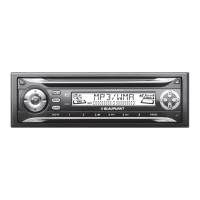
1 Button to switch the unit on/off
and to mute the unit.
2 Button to release the control
panel.
3 Volume control.
4 Short press: MENU button, to
open the basic settings menu.
Long press: SCAN, to start scan
function.
5 Short press: SRC button, to se-
lect the CD/MP3, radio and CD
changer or AUX sources. Long
press:
button, to display the
time.
6 AUDIO button, to adjust the
bass, treble, balance and fader
settings and Sound Preset.
7 CD-Slot.
8 CD Eject button
.
9 Arrow buttons
: X-Bass button to adjust the
X-Bass function.
; Keys 1 - 6
< Short press: BND button, to se-
lect the FM memory bank
and the AM waveband, source
selection to radio mode.
Long press: TS, to start the
Travelstore function.
CONTROLS
DaytonaMP26_EN2 3/15/06, 3:39 PM3


 To Next Page