6. Visual signals and alarms
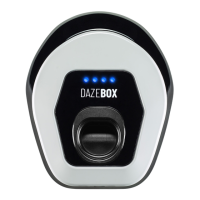
The LED frame notifies the user of the status of the DazeBox. The colors and statuses are shown in table
6.3.
DazeBox is not connected to the vehicle
There is not enough current available to start charging
the vehicle..
DazeBox is connected to the vehicle but not charged
(vehicle fully charged or not available to recharge)
In case of error, refer to table 6.4
Tabella 6.3. Statuses Led.
With flashing red LEDs, DazeBox is in an error state. Each error is associated with a corresponding number
of short consecutive flashes. In case of error, contact support.
Table 6.4. Error codes
7. Disposal
This chapter explains how to deactivate and dismantle the machine, indicating the residual risks that occur
in these situations and the necessary precautions to neutralize these risks.
Once the end of its technical and operational life has been reached, the machine must be deactivated, or
taken out of service.
Switching off the electricity power supply
Disconnect cable from the machine side and the fabricated side. Before starting the procedure, check that
the terminal of the power supply grid is not live.
19
ENG - June 2020 - Rev. 1


 To Next Page