Dazzle ZiO! Hi-Speed Portable Reader/Writer User’s Guide • Using the Reader/Writer • Page 37
4. Insert your digital media card in the ZiO HS Reader/Writer.
The card mounts on your Mac desktop and appears as a disk icon.
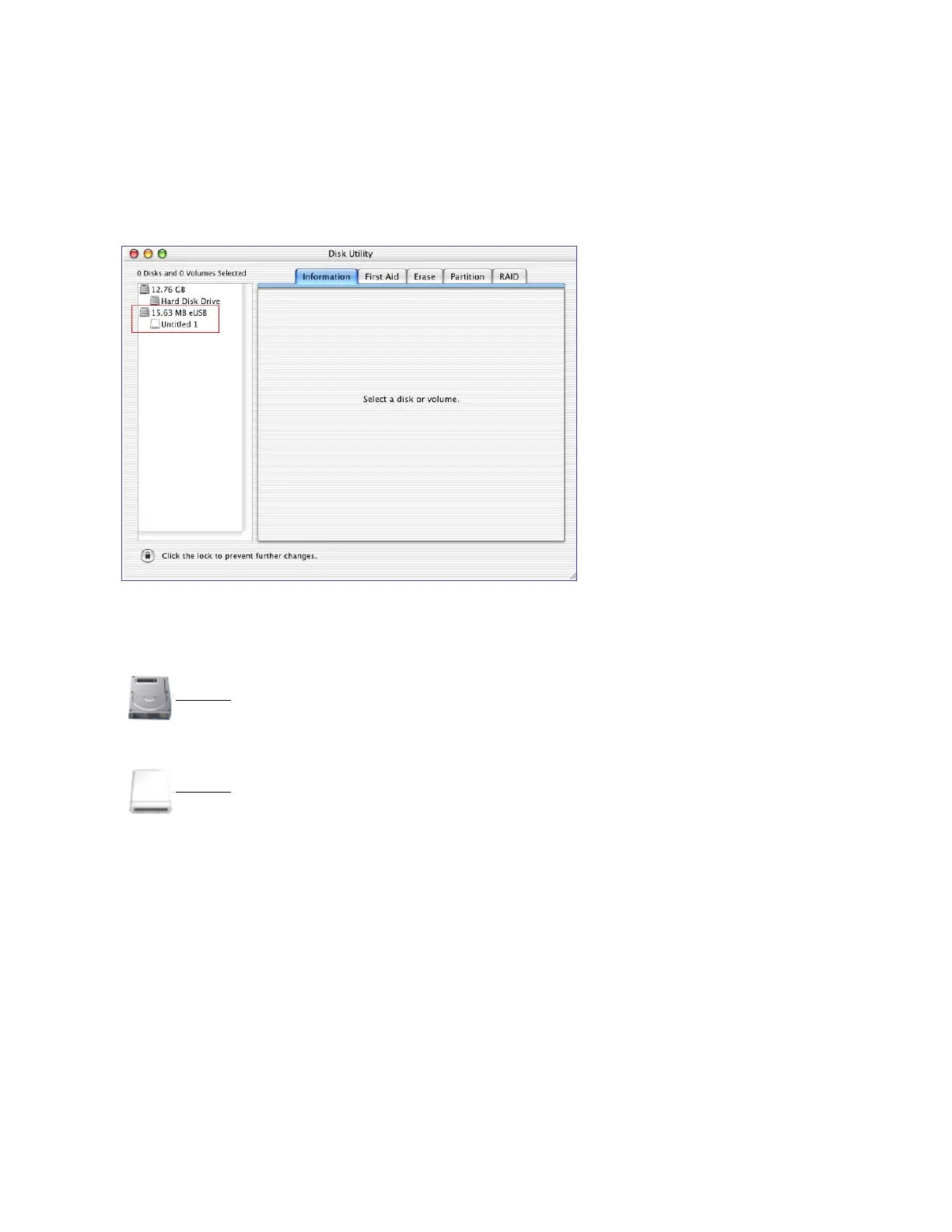
The card also registers in the Disk Utility, and its disk icon and disk volume icon appear
in the Disk Utility window’s left pane, as shown in the example below.
Note: If the volume icon does not appear, simply click the disk icon (see the illustration
below).
Disk Icon
Volume Icon



 To Next Page