EasyManua.ls Logo

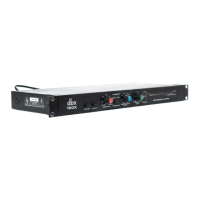
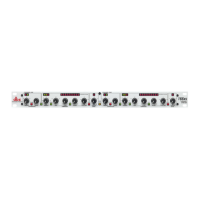
dbx 160X - 1.2 160 X FRONT PANEL; A. BYPASS SWITCH AND INDICATOR; B. SLAVE SWITCH AND INDICATOR; C. THRESHOLD CONTROL

dbx 160X
41 pages
Print Icon
To Next Page IconTo Next Page
To Previous Page IconTo Previous Page
Loading...
QUICK
SETUP
dbx
Professional
Products
Quick
setup
_
To
get
your
unit
up
and
running
as
quickly
as
possible,
do
the
following
steps.
For
more
detailed
information,
refer
to
the
specified
pages.
Unpack
and
Inspect
the
160XT
Package.
Page
2
Complete
the
Registration
Card.
Page
2
Mount
Unit
in
a
Rack
(OPTIONAL).
Page
18
Connect
Audio
Inputs
and
Outputs.
Page
19
Connect
Power.
Page
22
Set
Levels
and
Controls
as
Needed.
Page
4
Inspection
1.
Unpack
and
Inspect
the
160XT
package.
Your
160XT
was
carefully
packed
at
the
factory
in
a
protective
carton.
Nonetheless,
be
sure
to
examine
the
unit
and
the
carton
for
any
signs
of
damage
that
may
have
occurred
during
shipping.
If
obvious
physical
damage
is
noticed
contact
the
carrier
immediately
to
make
a
damage
claim.
We
suggest
saving
the
shipping
carton
and
packing
materials
for
safely
transporting
the
unit
in
the
future.
Verify
that
the
160XT
package
contains
the
following:
160XT
Unit
160XT
Accessory
Kit
Operation
Manual
Warranty
Certificate/Registration
Card
2.
Please
complete
the
Registration
Card
and
return
it.
Please
fill
in
the
Registration
Card,
detach
it
from
the
Warranty
Certifi¬
cate,
and
send
the
card
to
us
today.
The
Registration
Card
enables
us
to
inform
you
of
new
applications
and
performance
improvements
that
are
developed,
and
it
helps
us
re¬
spond
promptly
to
claims
under
warranty
without
having
to
request
a
copy
of
your
bill
of
sale
or
other
proof
of
purchase.
2

Other manuals for dbx 160X

Related product manuals