EasyManua.ls Logo

dbx 160X - Page 7

dbx 160X
41 pages
Print Icon
To Next Page IconTo Next Page
To Previous Page IconTo Previous Page
Loading...
OPERATING
CONTROLS
dbx
Professional
Products
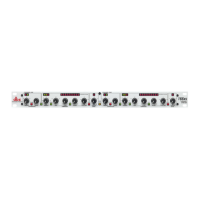
DISPLAY
Switch
and
Indicator
Depressing
this
button
causes
the
up¬
per
LED
array
to
display
the
INPUT
level
to
the
160XT.
With
the
button
out,
the
OUTPUT
level
is
displayed.
A
pair
of
LEDs
immediately
above
the
DISPLAY
switch
indicates
the
selected
display
status.
LEVEL
and
GAIN
REDUCTION
Displays
The
upper
row
of
19
LEDs
displays
either
the
INPUT
or
OUTPUT
level,
as
selected
with
the
DIS¬
PLAY
switch.
This
display
is
factory
set
so
that
OdB
is
equivalent
to
+
4
d
B
u
input
or
output
level
(1.23Vrms),
but
may
be
reset
with
the
rear
panel
METER
CALIBRATION
trimmer.
(See
following
pages.)
The
lower
row
of
12
LEDs
displays
up
to
40dB
of
GAIN
REDUCTION
caused
by
the
160XT.
(Fixed
gain
changes
due
to
the
OUTPUT
GAIN
control
are
not
displayed
by
the
GAIN
REDUCTION
LEDs
but
are
re¬
flected
in
the
OUTPUT
level
display.)
Rear
Panel
r3E?F
INP
U
T-BALANCE
D
-
OUTPUT
!QflE>
UNBALANCED
OETECTOR
LIFT
*
©
o
iUBBATIO*
__
-I
tip*
trs
RING
DC
CONTROL
SLEEVE
GND_VOLTAGES
Figure
2:
Rear
Panel
SIGNAL
INPUT
Jacks
The
Tip/Ring/Sieeve
phone
jack
and
XLR-type
connector
are
wired
in
parallel;
either
Signal
Input
will
accept
an
audio
signal
for
processing
by
the
160XT.
The
phone
jack
accepts
a
stand¬
ard
TRS
V
4
phone
plug
for
a
balanced
input
source,
or
a
2-circuit
(Tip/Sleeve)
V
4
phone
plug
for
an
unbalanced
source.
The
XLR-type
plug
connector
is
wired
pin
3
HOT
(+),
pin
2
COLD
(-)
and
pin
1
GROUND.
DETECTOR
INPUT
This
Tip/Ring/Sleeve
phone
jack
accepts
a
stand¬
ard
TRS
Va“
phone
plug,
and
is
of
the
“normalling”
type.
That
is,
when
a
phone
plug
is
inserted,
the
detector
input
is
no
longer
connected
in
parallel
with
the
audio
input.
6

Other manuals for dbx 160X

Related product manuals