5
SETUP
AFS
RECALL
SUBHARMONIC
COMP/LIMITER
UTILITY
PRESET
NEXT PG
STORE
EQ
WIZARD
UTILITY
PREV PG
WIZARD
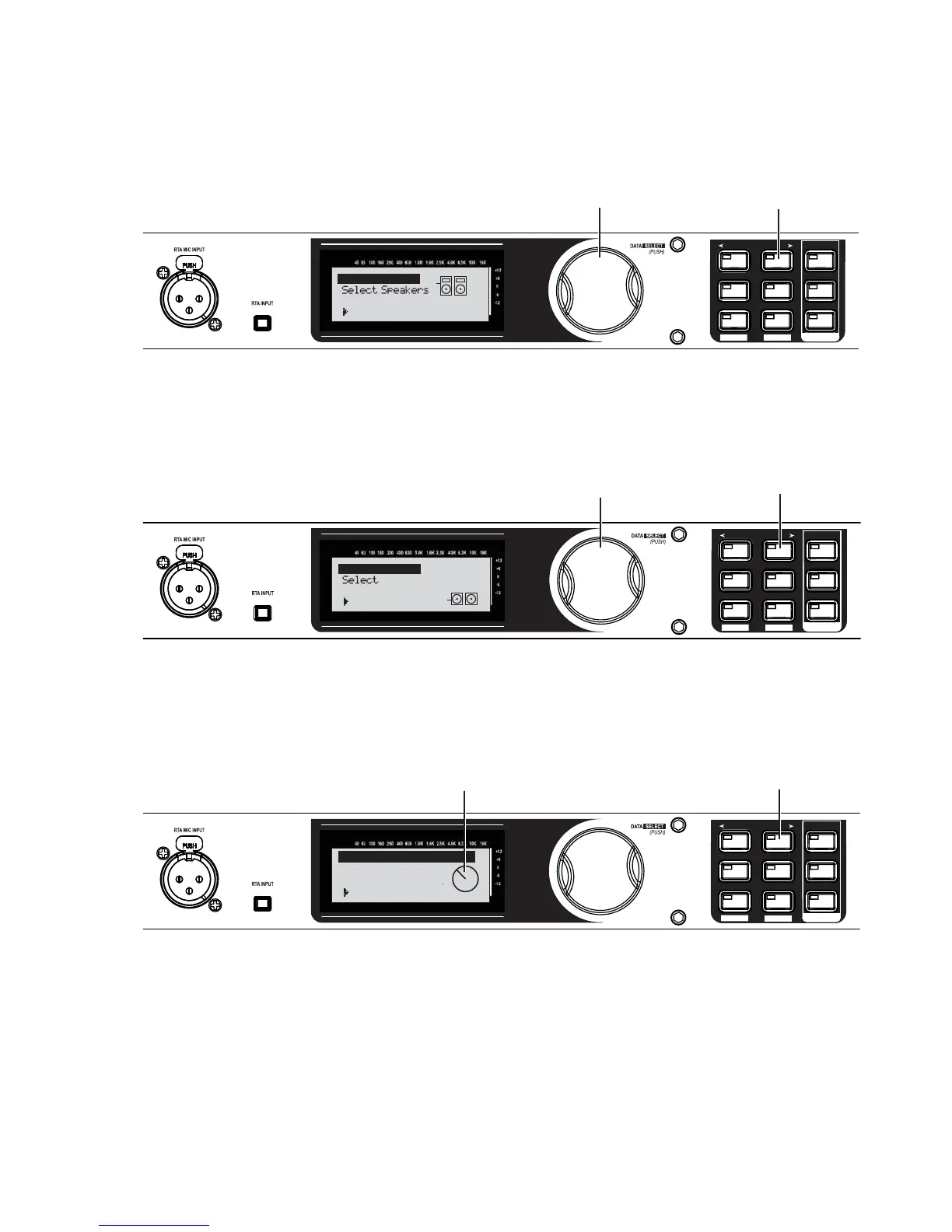
A. Turn the Data Wheel to select your
main speakers (for our example,
select PRX515).
B. Press the NEXT PG button.
PRX515
JBL PRX500
Main Speakers
SETUP
AFS
RECALL
SUBHARMONIC
COMP/LIMITER
UTILITY
PRESET
NEXT PG
STORE
EQ
WIZARD
UTILITY
PREV PG
WIZARD
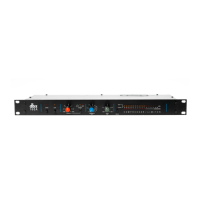
A. Turn the Data Wheel to select your
subwoofer speakers (for our example,
select PRX518S STEREO).
B. Press the NEXT PG button.
PRX518S STEREO
JBL PRX500
Sub Speakers
Sub(s)
SETUP
AFS
RECALL
SUBHARMONIC
COMP/LIMITER
UTILITY
PRESET
NEXT PG
STORE
EQ
WIZARD
UTILITY
PREV PG
WIZARD
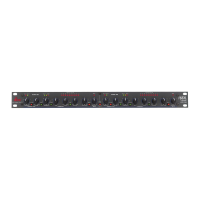
B. Press the NEXT PG button.
A. Set the level knobs on your main speakers
to match the position shown on the display.
(Note that you also have the option to turn the Data
Wheel to adjust the level shown on the display
to match a preferred setting on your speakers.)
Adjust speaker
levels as shown
> 36% Level
Main Speaker Levels
8.
9.
10.


 To Next Page