System Setup
Section 3
ZonePro
™
11
ZonePro
™
User Manual
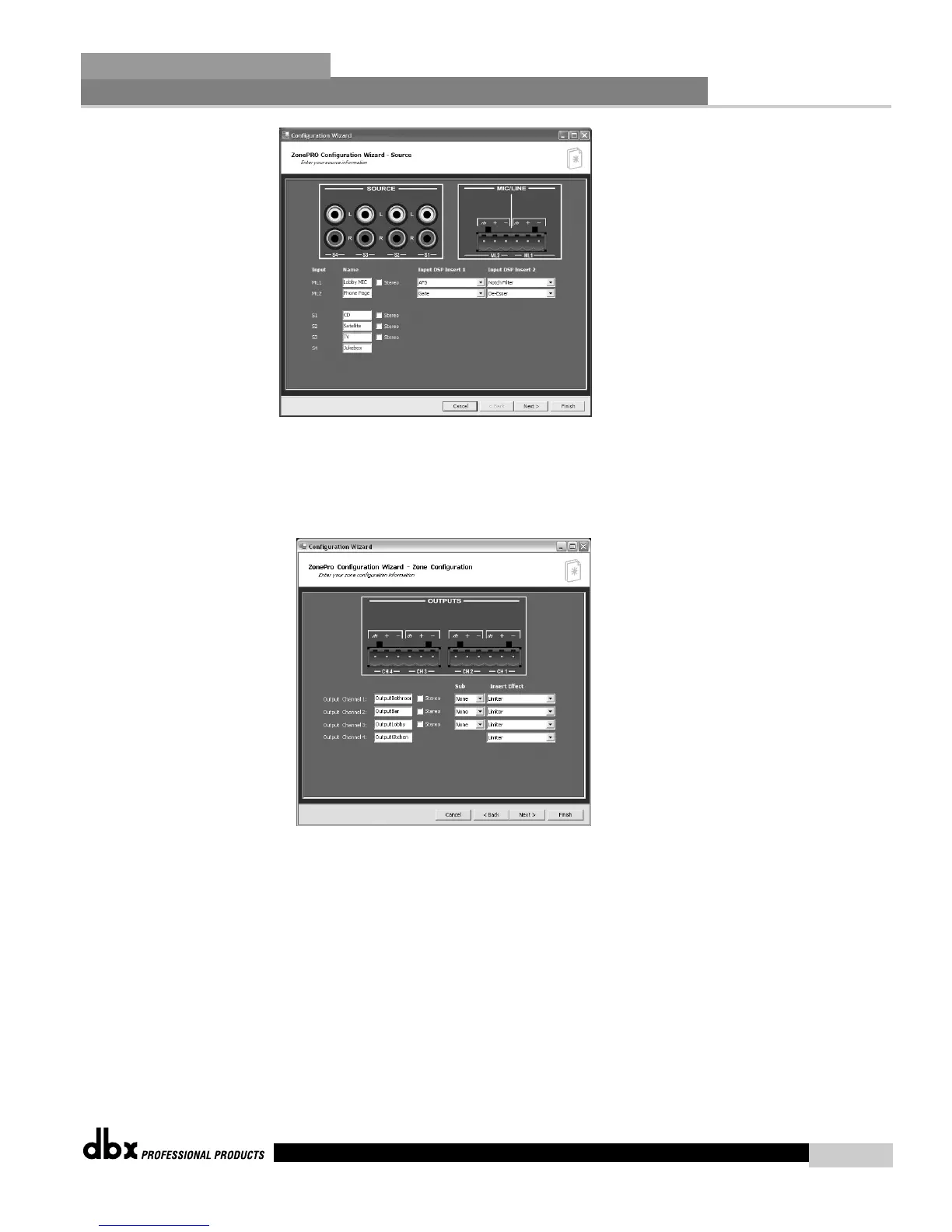
3.2.1 Input Setup
• This page is the Input Setup Page page and allows naming of inputs, input configuration
(mono or stereo), and selection of the two mic/line DSP modules. Once you have named
your inputs and selected insert modules, click on the Next Page button and the display will
appear as follows:
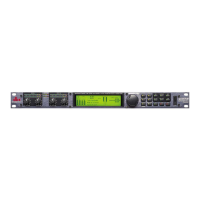
3.2.2 Output Setup
• This page is the Output Setup Page and allows naming of the outputs, zone configuration,
and selection of the Dynamics DSP module. The outputs can be configured as mono, or
stereo either with or without a subwoofer. Once you have performed all of your output
setup modifications, click on the Next Page button and the display will appear as follows:


 To Next Page