Introduction
ZonePro
™
ZonePro™ User Manual
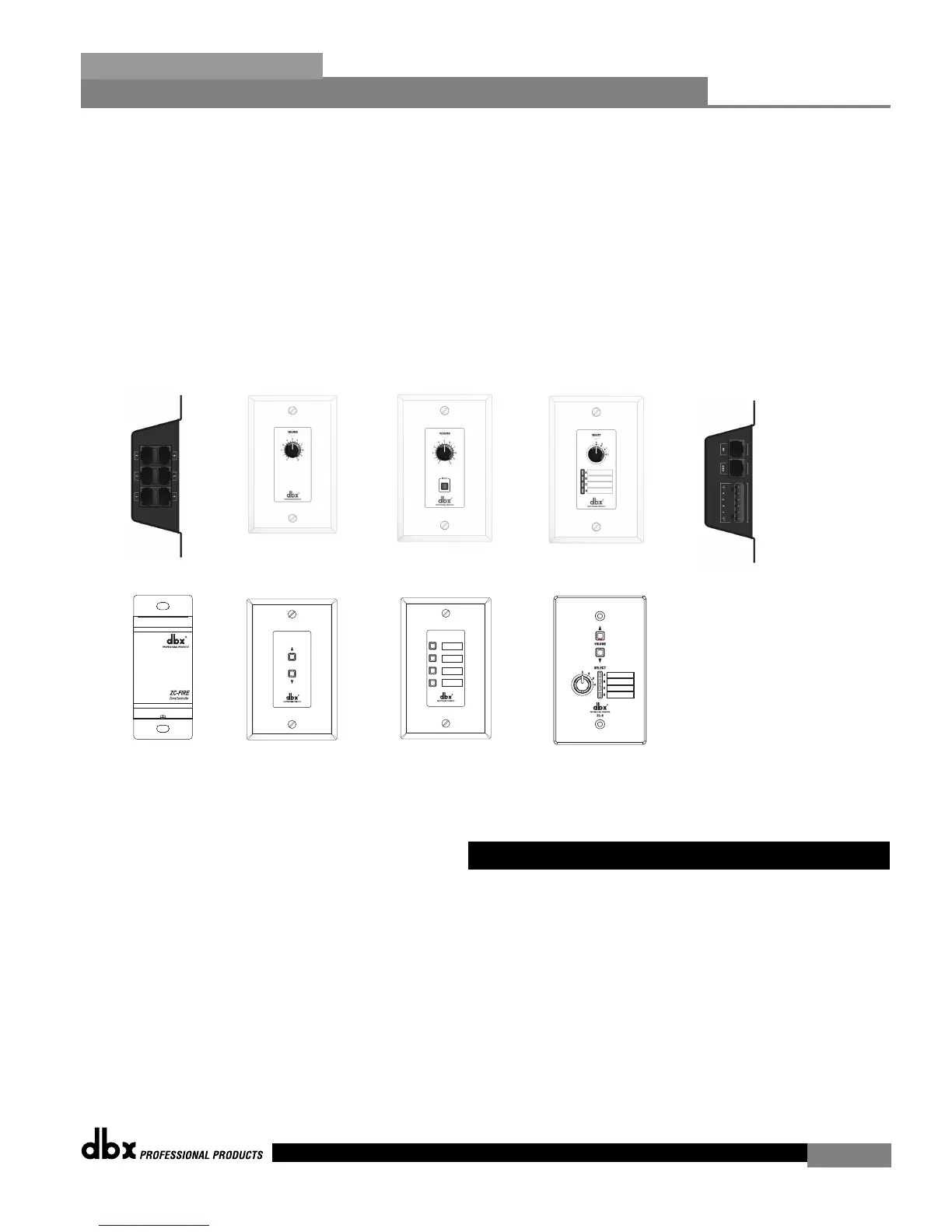
In addition to the amazing menu of processing available, the ZonePro units also afford you the
luxury of utilizing dbx Zone-Controller series wall-mounted control panels that will allow you
to remotely control various parameters of the unit. The ZC-1 and ZC-6 offer remote program-
mable Volume control to any installation using the ZonePro units. The ZC-2 provides pro-
grammable Volume and Mute control. The ZC-3 and ZC-4 allow Source selection, Scene selec-
tion or Page steering. ZC-FIRE provides an interface for fire safety systems. The ZC-7 remote
offers page steering from a programmable push button interface. The ZC-8 provides a single
panel with both push button volume control and source or scene selection. Up to 12 Zone
Controllers can be used with a single ZonePro, and can either be wired in series or parallel.
The ZC-BOB was created to accommodate “home-run” or parallel wiring to the unit. With a
maximum length of 1,000 ft., the Zone Controllers offer a simple way to create a simple yet ele-
gant solution to many installation applications.
If you require technical support, contact dbx Customer Service. Be prepared to accurately
describe the problem. Know the serial number of your unit - this is printed on a sticker attached
to the top panel. If you have not already taken the time to fill out your warranty registration
card and send it in, please do so now.
Before you return a product to the factory for service, we recommend you refer to the manu-
al. Make sure you have correctly followed installation steps and operation procedures. If you
are still unable to solve a problem, contact our Customer Service Department at (801) 568-7660
for consultation. If you need to return a product to the factory for service, you MUST contact
Customer Service to obtain a Return Authorization Number.
No returned products will be accepted at the factory without a Return Authorization Number.
0.2 - Service Contact Info
iii
ZC-BOB
ZC-1
ZC-2
ZC-3
ZC-4
ZC-Fire


 To Next Page