Instruction manual VERI60 AIR COOLER WITH REMOTE CONTROL
dcg16.it
15
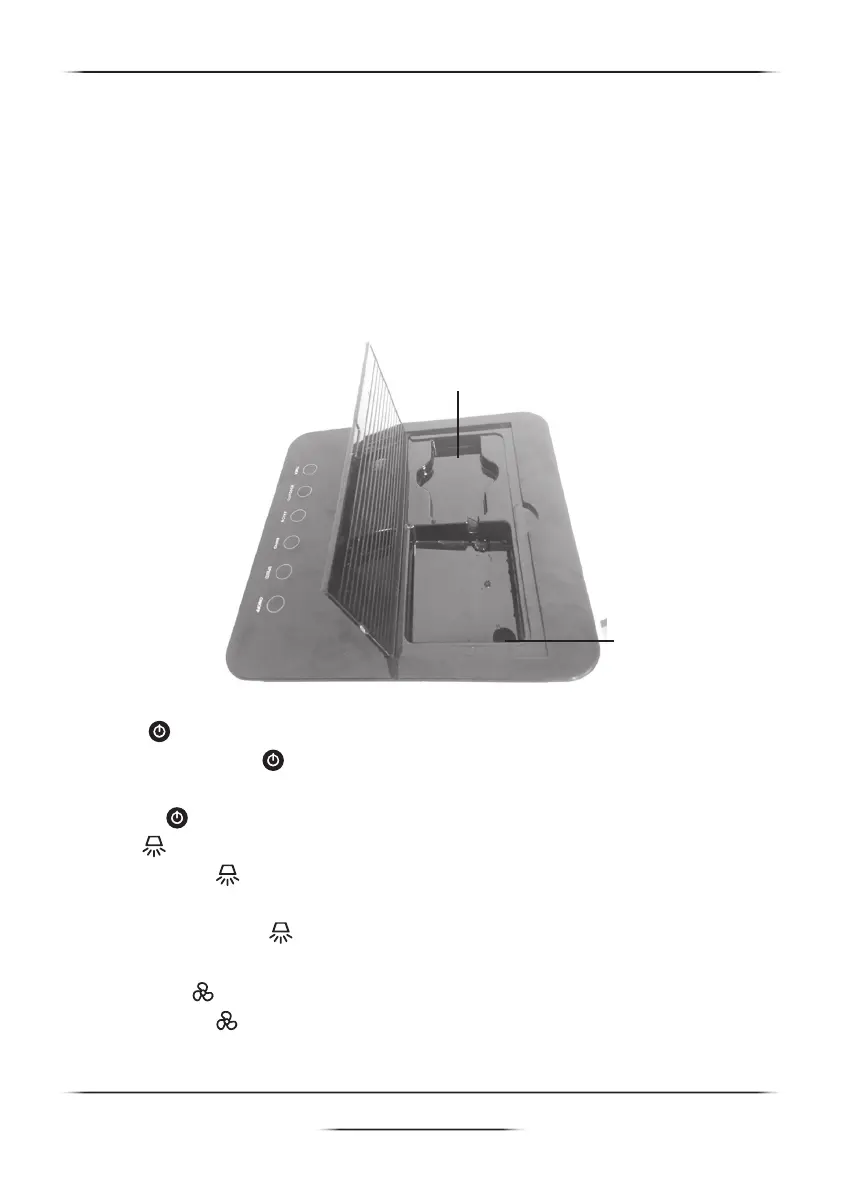
Remote control slot
Water inlet tray
Operating Instruction
Filling Water
By opening the top water tank cover, then use the water container or
water pipe to ll up the water tank until the orange water level indicator
reach the top of water level scale
Caution: - Do not ll up the water exceed the limit of water level
scale to avoid the water spilling out while moving the air cooler.
Make sure that the remote control is not in the tray to avoid
unnecessary damage.
How to use the functions
POWER
Press this POWER button on the control panel or the remote control
to turn on the air cooler and its Blue light is illuminated. Press this
POWER
button again to turn it off and its Red light is illuminated.
SWING
Press SWING button on the control panel or the remote control to let
the vertical front grille swing automatically and its light is illuminated.
Press this SWING button again to stop the swing mode, then its
light is off.
FAN SPEED
Press SPEED button on the control panel or the remote control to
adjust wind speeds to low (1), medium (2), high (3), speed lights (1,2,3)


 To Next Page