Need help?
Do you have a question about the ddrum 100 Series DD1 and is the answer not in the manual?
Advice on optimal placement and environmental conditions for the digital drum set.
Guidelines for using the correct AC adaptor and connecting to power outlets safely.
Ensuring power is off before connecting or disconnecting cables to prevent damage.
Instructions on how to handle and move the instrument without causing damage.
Methods and materials for cleaning the digital drum set unit.
Information on potential interference from digital circuitry and how to mitigate it.
Warning about strong electromagnetic interference and how to reset the product.
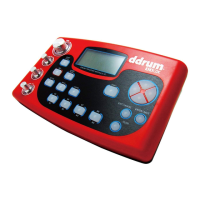
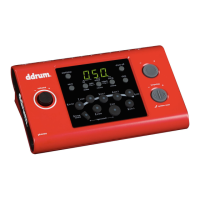
Detailed description of buttons, knobs, and displays on the front panel.
Explanation of all input and output jacks located on the rear of the unit.
Description of the headphone jack and USB port on the side panel.
Guide on connecting drum pads, cymbals, and pedals to the drum module.
Instructions for connecting external MIDI sound modules or sequencers.
How to connect the drum set to a computer using a USB cable for MIDI data.
Steps to connect the drum set to amplifiers or audio systems for playback.
Connecting external audio sources like CD players via the Aux In jack.
Guide for connecting stereo headphones for private listening.
Instructions for connecting the AC adaptor to power the drum module.
Procedure for turning the drum set power on and initial display status.
How to adjust the overall volume of the drum set using the volume knob.
Adjusting the volume for audio signals connected via the Aux In jack.
How to choose between preset and user-created drum kits.
Instructions on using the metronome for timing practice, including volume adjustment.
Guide to selecting and listening to preset songs for practice or enjoyment.
How to start, stop, and playback the selected songs.
Adjusting the volume level of the song accompaniment.
Changing the tempo (speed) of the selected songs.
Using the tap tempo feature to set custom song tempos by tapping a pad.
How to mute specific drum parts within a song during playback.
Using the click voice feature, similar to a metronome, for practice.
Utilizing the pad lighting system to guide practice and learning drum patterns.
Assigning percussion sounds to drum pads to create custom drum kits.
Controlling the individual volume level for each pad or bass drum.
Setting the MIDI note value for each pad for external MIDI control.
Procedure for saving created user drum kits to the unit's memory.
Configuring pad sensitivity for optimal response to playing dynamics.
Adjusting pad rejection settings to prevent unwanted crosstalk.
Setting the reverb effect for the drum sounds.
Adjusting the pitch (tuning) of individual drum pad voices.
Restoring the drum module to its original factory default settings.
Details on drum pad configuration and the number of available voices.
Information on the display type and available connection ports.
Comprehensive chart detailing MIDI message transmission and reception.
List of General MIDI instrument sounds for Piano and Mallet categories.
General MIDI instrument sounds for Organ, Guitar, Bass, and Strings.
General MIDI instrument sounds for Brass, Reed, Pipe, Lead, Ethnic, and Percussive.
List of General MIDI instrument sounds categorized as Sound Effects.
List of acoustic and electronic drum voices available on the unit.
Listing of cymbal and tom voices and their corresponding numbers.
Details on hi-hat and electronic tom voices and their assignments.
Catalog of preset songs available on the drum module, with their titles.
List of preset and user-defined drum kits, including factory and user kits.
Step-by-step instructions for assembling the main frame of the digital drum set.
Procedure for attaching the drum pads to the assembly frame.
Instructions on how to mount the cymbal pads onto their holders.
Steps for securely attaching the drum module to the frame.
Guide for assembling and attaching the kick trigger and pedal.
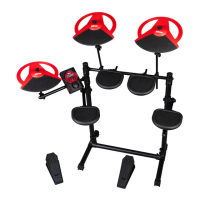
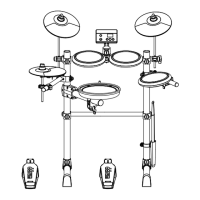
An illustration showing an example of the fully assembled digital drum set.
 General
| Type | Acoustic Drum Set |
|---|---|
| Configuration | 5-Piece |
| Bass Drum | 22" x 16" |
| Tom 1 | 12" x 9" |
| Snare Drum | 14" x 5.5" |
| Hardware Included | Yes |
| Hardware Color | Chrome |
| Shell Material | Basswood |
| Kick Pedal | Yes |
| Hi-hat Stand | Yes |
| Snare Stand | Yes |
| Throne | Yes |

 To Next Page