Need help?
Do you have a question about the ddrum E-FLEX and is the answer not in the manual?
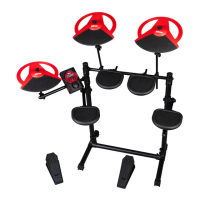
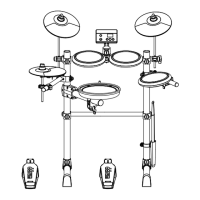
Lists the components included with the ddrum E-Flex electronic drumset.
Explains the advantages of mesh heads on all pads for feel and sound.
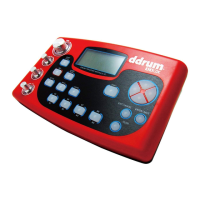
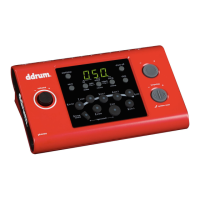
Highlights the module's simple operation with a volume knob and sound buttons.
Describes the built-in metronome with its tempo range of 40-240 BPM.
Specifies the 9" crash cymbal, its placement, and choke function.
Details the 9" ride cymbal, positioning, choke function, and bell zone.
Explains the positioning of the 9" Hi-hat pad on the rack.
Describes the 6" mesh tom pads, mounting, and sound qualities.
Details the 6" dual mesh snare pad, placement, and dual-zone function.
Explains how the bass drum sound is activated by the controller pedal.
Describes the hi-hat controller for open and closed hi-hat sounds.
Guides on playing hi-hat sounds with the pedal for open and closed states.
Instructions on using the bass drum pedal and enabling double bass mode.
Details how to play the ride cymbal's bow, bell, and use its choke function.
Explains snare drum velocity sensitivity and dual-zone sound capabilities.
Explains how to use the volume knob for the entire drum kit.
Details how to activate the metronome and cycle through drum sound patterns.
Describes the USB, AUX, headphone output, and audio output connections.
Specifies the DC9V power input and its polarity.
Instructions for connecting power, audio cables, and powering the module on/off.
Guides on choosing from 12 preset drum kit sound patterns.
Steps for using the metronome, adjusting tempo, and beat modes.
Procedure for adjusting the sensitivity of the bass drum and hi-hat pedals.
Instructions for USB software updates and performing a factory reset.
Details on enabling double bass playing mode using arrow buttons.

 To Next Page
 General