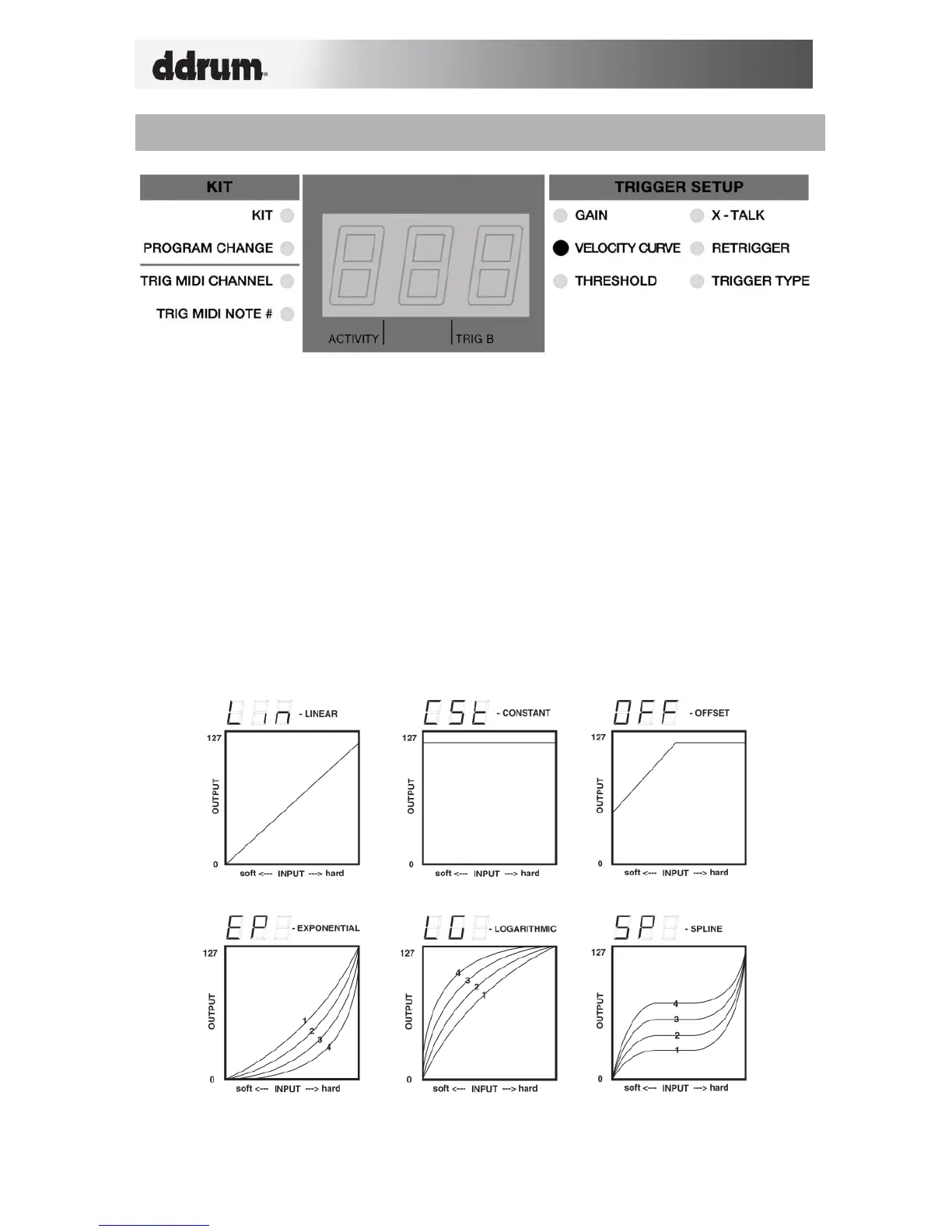
A Velocity Curve describes how a trigger’s velocity varies with the force applied. This is a
useful feature when trying to customize how a trigger responds to your playing style.
Different Velocity Curves will have different input/output ratios associated with them and
will cause a different response, so take some time to get familiar with how the Velocity
Curve setting corresponds to the way you like to play.
Velocity is most often used to control a sound’s volume or brightness. So when you play
“hard”, the triggered sound is typically louder/brighter.
How to change Velocity Curve:
1. Select the trigger you would like to edit by striking the trigger/pad.
2. Use the function up/down buttons to select Velocity Curve. The current
Velocity Curve will be displayed.
3. Use the value up/down buttons to select a Velocity Curve. The value will be
loaded automatically.
REMEMBER TO SAVE YOUR CHANGES BY GOING BACK TO KIT!


 To Next Page