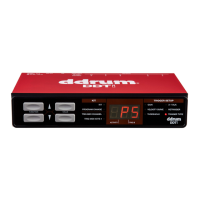
The DDTi has been initialized with a preset which automatically maps the first 8
trigger inputs to drum sounds in the BFD Lite software. You can access this
configuration by selecting preset 0 on the DDTi while in Kit function.
The configuration of the kit is labeled on the back of the DDTi and is as shown below.
Please ensure that your triggers are connected in the way described below.
*When using a hi-hat foot pedal connected to the Hi-hat footswitch input on the DDTi, the Hi-hat input will
alternate between sending MIDI Note # 44 and MIDI Note # 42, depending on the position of the Hi-hat
footswitch. With the hi-hat pedal pressed down, the Hi-hat input will send MIDI Note # 42 (closed hi-hat). With
the hi-hat pedal released, the Hi-hat input will send MIDI Note # 44 (open hi-hat).
You will notice that in this configuration each trigger has a different MIDI Note
Number associated with it. It is these Note Numbers that trigger the specific sound.
Please refer to Trigger MIDI Note section of this manual for more information on how
MIDI Notes are used.


 To Next Page