10
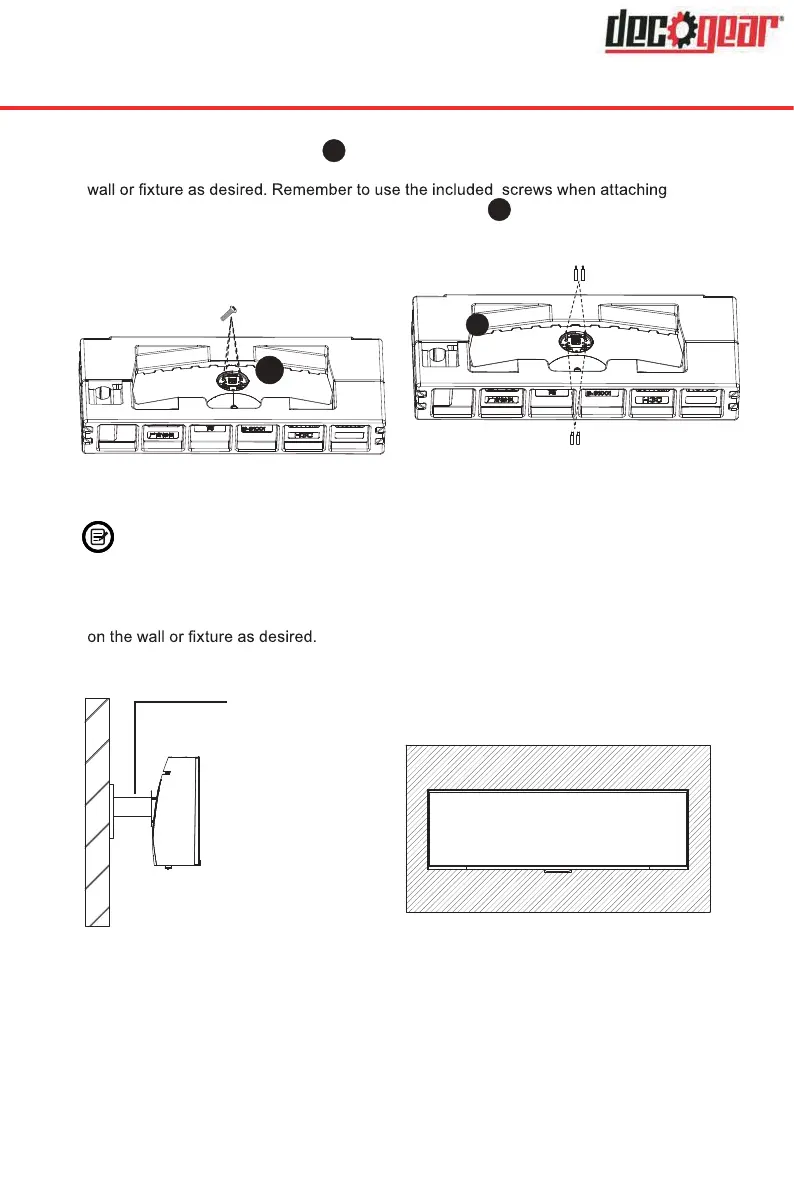
2. Remove the original screws x 4 (
1
) from the opening in the back of the monitor. Follow
the directions received with your mount, stand, or accessory and install the monitor on the
anything to the back of the monitor. Refer to the image (
2
) for correct screw placement.
1
Original Screws x 4
Use the 35mm
Screws x 2
Use the 17mm
Screws x 2
2
- Use only the Screws (35 mm x 2 pcs, 17mm x 2 pcs) provided with this
type of installation.
- Do not discard the original screws as these may be needed for future use.
3. Follow the directions received with your mount, stand, or accessory and install the monitor
Mount
(Not included)


 To Next Page