9
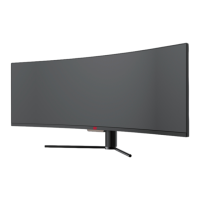
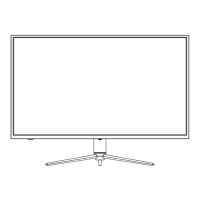
5. When remove the base, take off the decorative cover of the back shell and pull down
the quick remove button to remove the base.
Button
To avoid damage, do not touch the screen when moving the monitor.
Part 6: Wall Mounting
This monitor ONLY includes screws which may be used when attaching the monitor
to a mount. No mount or mounting accessory is included.
1. Open the package, take out the product with foam still attached, and gently place it on a
desktop or table. Remove the extra parts and the foam covering the monitor. If the monitor
was already attached to the stand, remove the stand.


 To Next Page