19
Image jitter/moire pattern
• Nearby electric equipment may be interfering with the monitor.
Light indicator is on or flashing, but there is no image displayed on screen
• Check if the monitor power is on.
• Check if the graphics card is installed properly.
• Make sure the power cable is properly connected to the monitor and power source.
Image position is not centered/the size is not right
• Please adjust Clock or Auto settings.
Color difference (colors are not optimized)
• Adjust RGB color settings or reset color temperature.
13.2 – PIP (Picture in Picture) Input Information
Mode Home Screen
Input Source
Picture in Picture
Additional Input Source
Interchange
Window
Picture Mode
DP HDMI
Mode 1 DP X O O O
Mode 2 HDMI O X O O
Note: ”O” means this feature is supported while “X” means it is not supported.
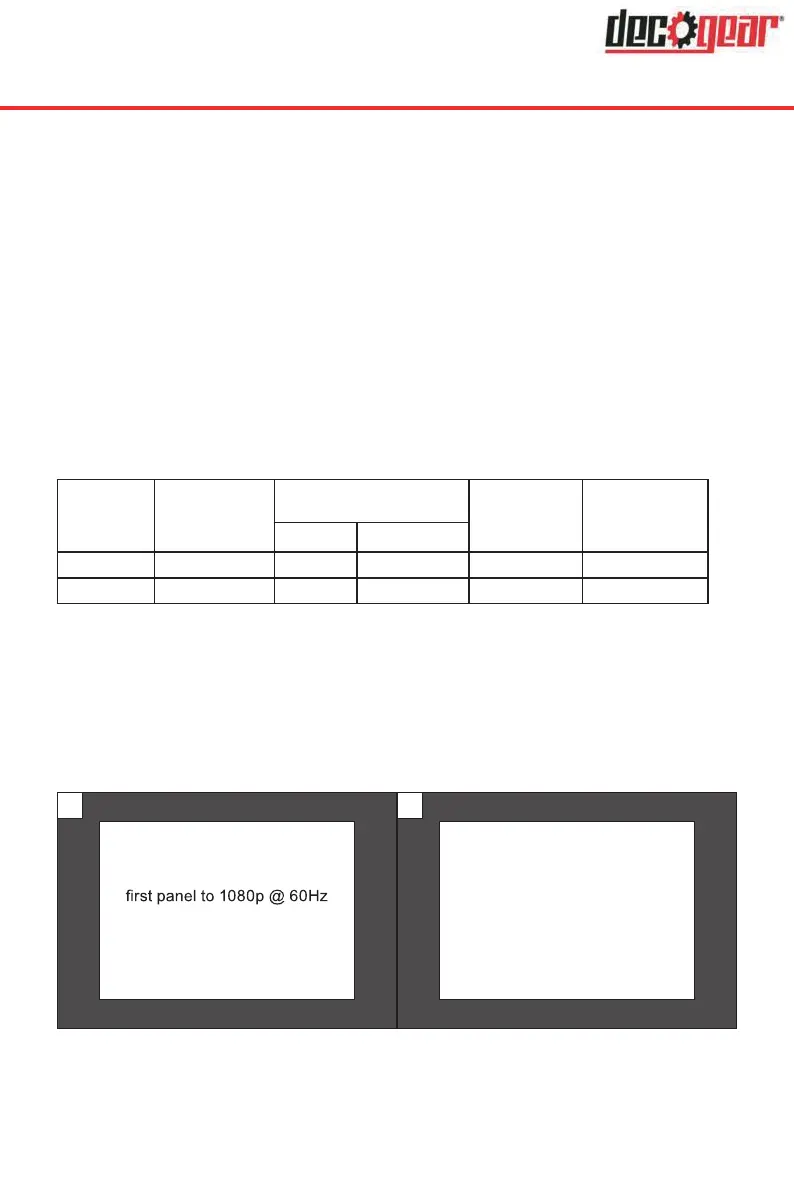
13.3 – PBP (Picture by Picture) Resolution Information
While using this feature and in order to obtain an optimal viewing experience, it is
recommended to set both panels to the same resolution.
It is recommended to set the
resolution.
1
It is recommended to set the
second panel to 1080p @
60Hz resolution.
2
At this resolution, tearing and visual deformation should be minimized.


 To Next Page