2 Installing and Uninstalling JW Smart Tune
9
3
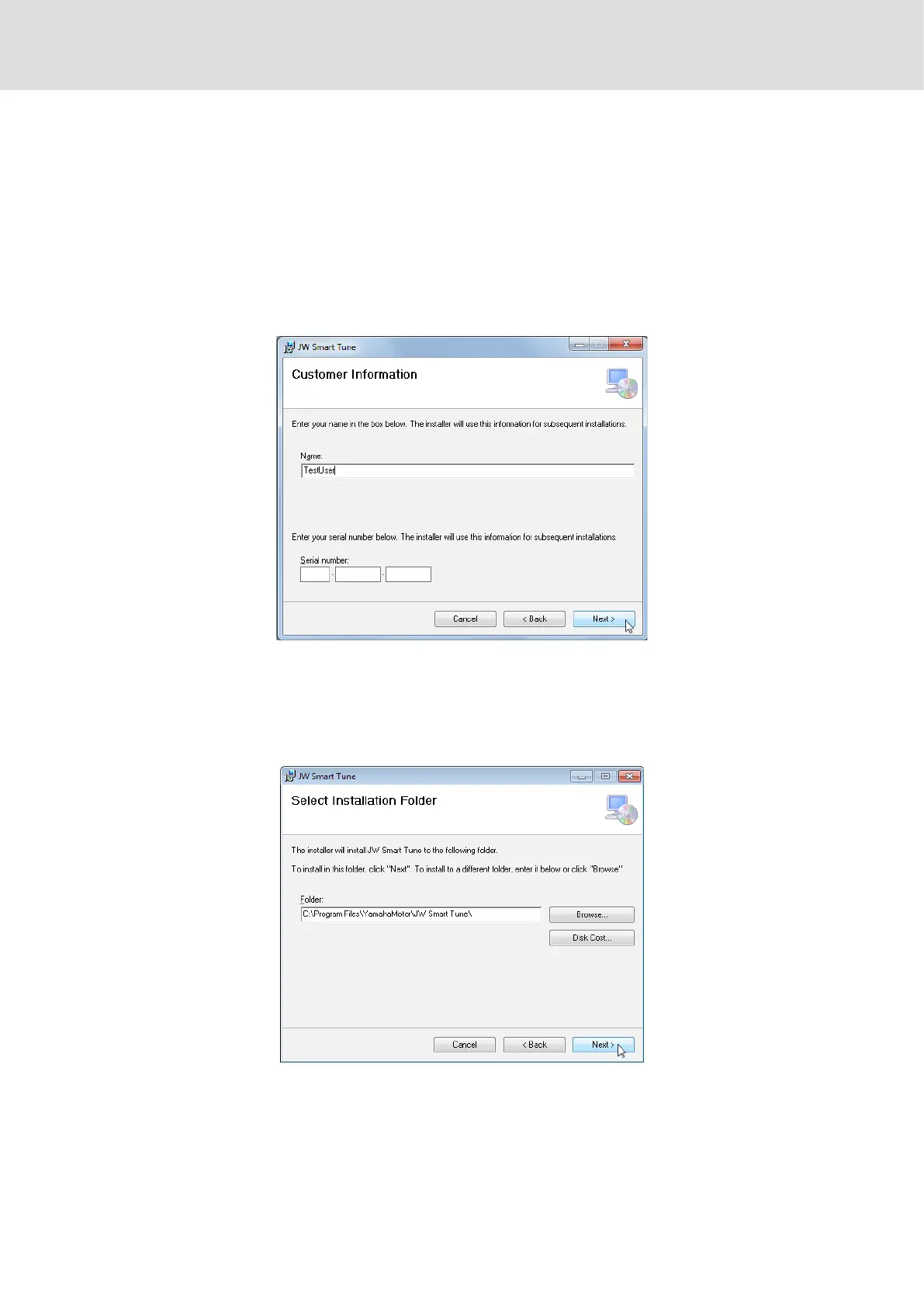
The screen for entering user information will appear.
In the [Serial Number] eld, enter the following serial number:
• t5p-58255-36286 (for making adjustments to both the Joystick model and the
Servo model)
• t5p-58255-3628c (for making adjustments to the Servo model only)
The name in the [Name] eld is entered by default. There is no need to make any
changes.
If the serial number is entered wrong, a dialog box will appear, and the screen
returns to the input screen. Re-enter the number correctly.
4
The screen for selecting an installation folder will appear.
Set the folder where the application is to be installed. If the default settings are
acceptable, select [Next] without making any changes.
5
The screen for conrming installation will appear.
Select [Next] to start installation. If the [User Account Control] dialog box appears,
select [Yes] and continue installation.
6
Once the nish screen appears, application installation is complete.
Proceed to the next step, “Installing the Driver”.



 To Next Page