5 Operating Servo model
44
5.3 Changing the Settings
1
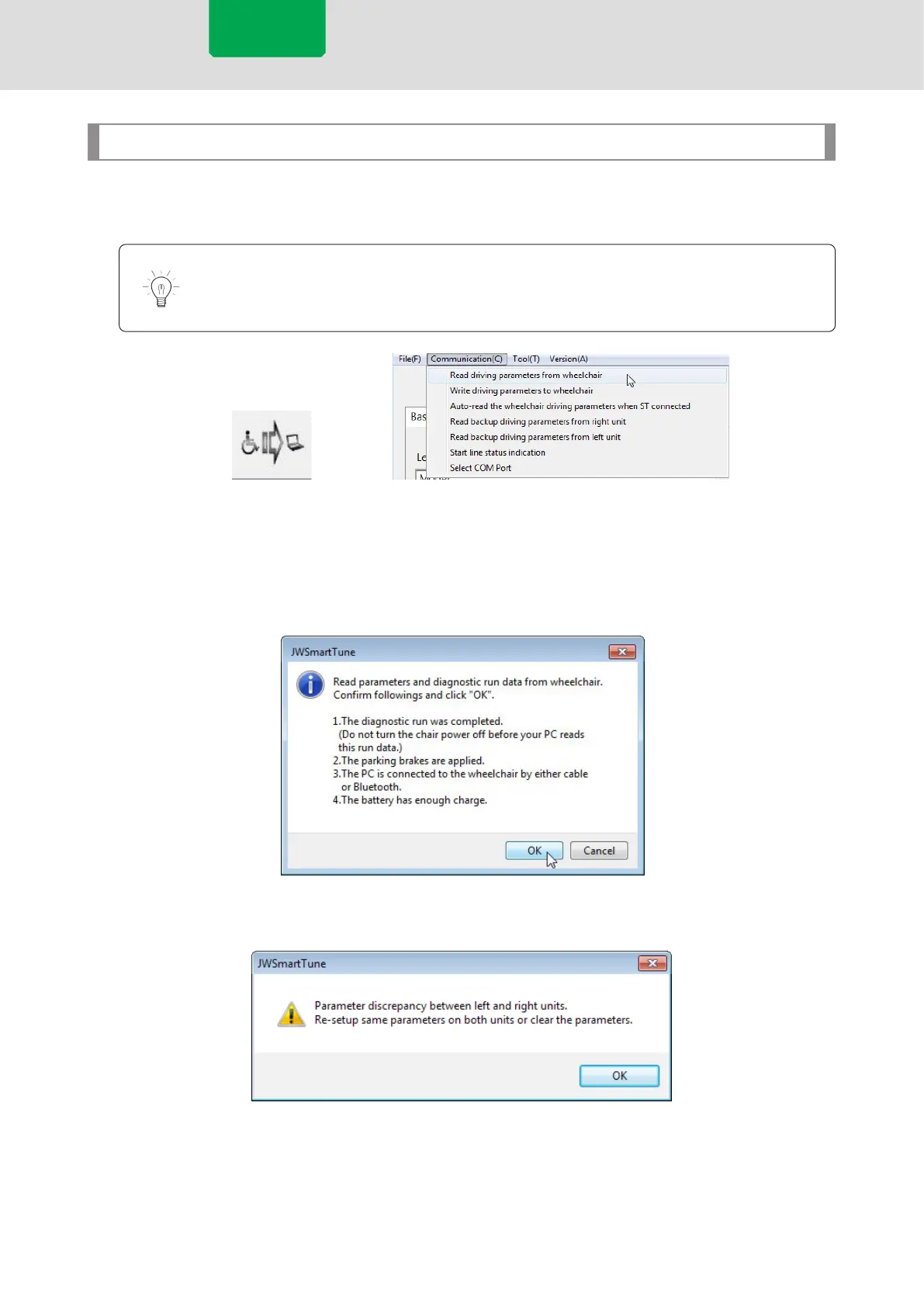
Load the setting data of the wheelchair using the icon or the menu bar, with the line
status displayed in blue (connected).
Skip steps 1 and 2 if a connection is established and reading is performed on window
startup.
[Communication] Menu[Read] Icon
2
Verify the state of the wheelchair following the instructions in the conrmation
message, then press [OK]. If an error message appears, check the contents of the
message and perform the operation once again.
Read Conrmation Message
Error example: Left and right wheel unit parameter mismatch
Servo model



 To Next Page